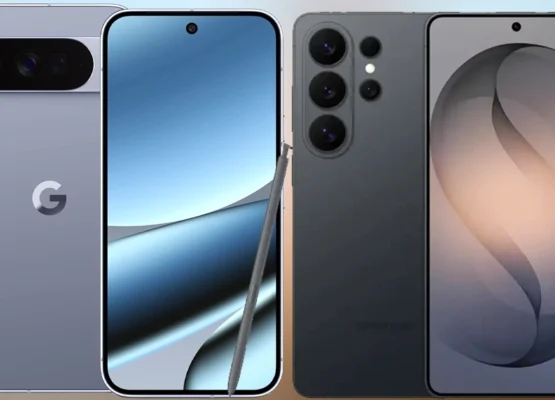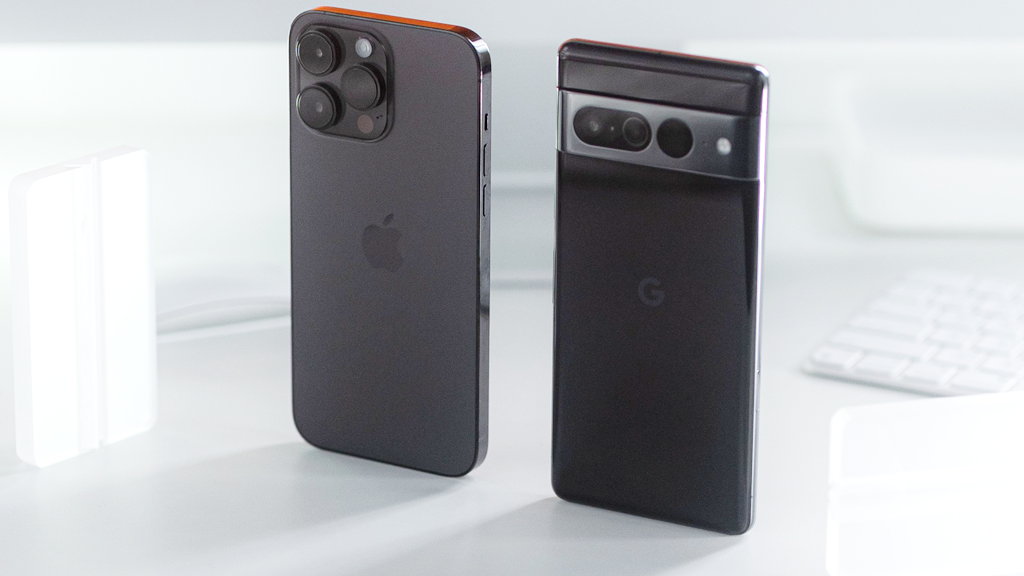
🌟 Android = Freedom
Android isn’t just a phone operating system—it’s a philosophy. While iPhones offer a polished, controlled experience, Android embodies choice, customization, and boundless possibility. It’s the platform for dreamers, tinkerers, and anyone who refuses to be boxed in.
If you’ve ever rooted a phone, installed a custom ROM, or just loved the fact that you can change your home screen to look exactly how you want, then you already know: Android is for people who want to make their tech their own.
🎨 1. The Ultimate Customization Playground
Android = Your Phone, Your Rules.
🖌️ Launchers: Change Your Entire Home Screen
- Nova Launcher, Lawnchair, Apex, or Action Launcher let you remap your home screen with gestures, icon packs, and app drawers that work your way.
- Example: Want swipe-up for app drawer, double-tap to lock, or a custom dock? Android lets you do it all.
iPhone: “Here’s how your home screen works. Don’t like it? Too bad.” Android: “Here’s how to make it work exactly how you want. Go wild.”
🎨 Themes, Icons, and Wallpapers
- Icon Packs: Thousands of free/paid icon packs (e.g., Fluid, Whicons, or Minimal O).
- Live Wallpapers: Animated, interactive, or even AI-generated wallpapers (e.g., Google’s “Art & Culture” or Wallpaper Engine on rooted phones).
- Dark Mode Scheduling: Auto-switch between light/dark themes based on time of day.
iPhone: “You can change your wallpaper… and that’s about it.” Android: “You can change everything—colors, shapes, animations, even the font of your clock.”
🔄 Default Apps: Replace Anything
- Tired of the stock SMS app? Use Google Messages, Textra, or Signal.
- Hate the default browser? Chrome, Firefox, Brave, or Edge—your call.
- Want a better keyboard? Gboard, SwiftKey, or Chroom—no restrictions.
iPhone: “You can use third-party apps… but they’ll never feel native.” Android: “Third-party apps are native. Use whatever you love.”
📊 Widgets: Your Home Screen, Your Way
- Add widgets for weather, calendar, music, or even custom ones (e.g., KWGT for fully customizable widgets).
- Resize and stack widgets to fit your workflow.
- Example: A music widget + calendar + to-do list all in one glance.
iPhone: “Here’s a widget. It’s small. Deal with it.” Android: “Here’s a widget. Make it big, small, or stack 10 of them. Your phone, your rules.”
📱 2. Hardware Variety: A Phone for Every Need & Budget
Android = Choice. iPhone = One Size Fits All (If You’re Rich).
| Category | iPhone Options | Android Options | Why Android Wins |
|---|---|---|---|
| Flagship | iPhone 15 Pro Max ($1,200+) | Samsung Galaxy S26 Ultra, Google Pixel 9 Pro, OnePlus 12, Xiaomi 14 Ultra ($800–$1,500) | More choices, better specs (e.g., 200MP cameras, S Pen, foldables) |
| Mid-Range | iPhone 15 ($800) | Google Pixel 8, Samsung Galaxy A56, OnePlus 11, Nothing Phone (3) ($400–$800) | Flagship features for mid-range prices |
| Budget | iPhone SE ($499) | Samsung Galaxy A16, Motorola Moto G Power, Xiaomi Redmi Note 13, Google Pixel 7a ($100–$300) | Way more affordable |
| Foldables | None | Samsung Galaxy Z Fold 6, Z Flip 6, Google Pixel Fold, Motorola Razr+ ($1,000–$2,000) | iPhone still has zero foldables |
| Gaming | iPhone 15 Pro Max | ASUS ROG Phone 8, RedMagic 9 Pro, Black Shark 6 (dedicated gaming phones with cooling fans, trigger buttons, 5,000mAh+ batteries) | Built for gamers |
| Battery Life | iPhone 15 Pro Max (20W charging) | Motorola Edge 40 Pro (125W charging, 5,000mAh battery), Samsung Galaxy S26 Ultra (4,500mAh + 45W charging) | Faster charging, bigger batteries |
💡 Real-World Example:
- $700 can get you:
- iPhone: iPhone 15 (60Hz LCD, 20W charging, no zoom).
- Android: Google Pixel 8 (120Hz OLED, 30W charging, 5x zoom, AI features).
🔌 3. Open Ecosystem: No Walls, No Limits
Android = Freedom. iPhone = Apple’s Rules.
📥 Sideloading Apps: Install Anything
- No App Store restrictions—download APKs from trusted sources (APKMirror, F-Droid).
- Beta Testing: Try new features first (Android beta programs, Google Play Services updates).
- Alternative App Stores: Amazon Appstore, F-Droid, Aurora Store (no Apple monopoly).
iPhone: “You can only install apps from the App Store… and we take a 30% cut.” Android: “Install from anywhere. It’s your phone.”
🔓 Rooting & Custom ROMs: Full Control
- Unlock the bootloader and install custom ROMs (LineageOS, Paranoid Android, HavocOS).
- Remove bloatware (no more pre-installed apps you’ll never use).
- Overclock/Undervolt your CPU for better performance or battery life.
- Custom Kernels: Tweak your phone’s performance at a low level.
iPhone: “Jailbreaking? Good luck—we’ll brick your phone.” Android: “Root it, mod it, brick it, fix it. It’s your device.”
💻 USB-C & Expandable Storage: No Dongle Life
- One port to rule them all: Charging, data transfer, audio, video-out—all with USB-C.
- Faster Charging: 65W–120W charging (vs. iPhone’s 20W–27W).
- Reverse Charging: Charge your earbuds, smartwatch, or even another phone (e.g., Samsung’s Wireless PowerShare).
- Expandable Storage: MicroSD slots (up to 1TB on some models).
iPhone: “Here’s a $70 dongle for your headphones. And another $30 for USB-C. And another $20 for SD card support.” Android: “Plug it in. No adapters needed.”
🤖 4. Google Integration: The Full Experience
Android = Google’s Playground.
🔍 Seamless Google Services
- Gmail, Drive, Maps, YouTube, Photos, Assistant—all deeply integrated and work flawlessly together.
- Example: Search for a restaurant in Maps → one tap to call, navigate, or save to your calendar.
iPhone: “Siri, why can’t you do this?” Android: “Hey Google, do it all—then some.”
🤖 AI Features That Actually Work
- Google Assistant: More powerful than Siri (contextual answers, routines, smart home control).
- Call Screening: Google Pixel’s AI screens spam calls in real time (and even blocks them).
- Live Translate: Real-time translation for calls and messages (no more language barriers).
- Hold for Me: Google Assistant waits on hold for you (Pixel-exclusive).
- Magic Eraser: Remove photobombers from your photos with one tap (Pixel-exclusive).
- Now Playing: Shazam on steroids—identifies songs playing around you without you asking.
iPhone: “Siri, play that song.” Android: “Google, what’s that song? Also, translate this call, screen my spam, and order me pizza.”
💰 5. Value for Money: More Bang for Your Buck
Android = Flagship Features at Mid-Range Prices.
| Feature | iPhone 15 ($800) | Google Pixel 8 ($699) | Winner |
|---|---|---|---|
| Display | 6.1″ OLED, 60Hz | 6.2″ OLED, 120Hz | Pixel |
| Camera | Dual 12MP | Dual 50MP + AI features | Pixel |
| Zoom | 2x Digital | 5x Optical + Super Res Zoom | Pixel |
| Charging | 20W | 30W | Pixel |
| Battery | 3,349mAh | 4,575mAh | Pixel |
| Software Updates | 5–7 years | 7 years | Pixel |
| AI Features | Limited | Call Screening, Live Translate, Magic Eraser | Pixel |
💡 Real-World Example:
- $500 can get you:
- iPhone: iPhone SE (2020 design, 60Hz LCD, 2,000mAh battery).
- Android: Samsung Galaxy A56 (120Hz AMOLED, 5,000mAh battery, 50MP camera).
📶 6. Connectivity & Features: More Ports, More Options
Android = The Swiss Army Knife of Phones.
🌐 5G & Wi-Fi 7: Faster, Stronger
- Android phones were first to adopt Wi-Fi 7 (2023).
- 5G support across all price ranges (even budget phones like Samsung Galaxy A16).
iPhone: “5G? Sure… if you pay $800+.” Android: “5G on a $200 phone? No problem.”
📞 Dual SIM: Two Numbers, One Phone
- Use two phone numbers (great for travel, work/personal separation, or local SIMs abroad).
- Example: One SIM for work, one for personal calls—no need for two phones.
iPhone: “Dual SIM? Only on eSIM… and only on newer models.” Android: “Physical SIM + eSIM? Dual SIM slots? Your choice.”
📺 IR Blaster: Control Your TV & AC
- Available on Xiaomi, Samsung, and other brands—use your phone as a universal remote.
iPhone: “IR blaster? What’s that?” Android: “Here’s your TV remote, AC control, and fan speed—all in one app.”
🎧 Headphone Jack: Still Alive (For Now)
- Still available on budget and mid-range Android phones (e.g., Samsung Galaxy A series, Motorola Moto G).
iPhone: “Headphone jack? Never heard of her.” Android: “Plug in your wired headphones—no dongle needed.”
📱 Foldables & Experimentation
- Samsung Galaxy Z Fold 6 – Tablet + phone in one.
- Samsung Galaxy Z Flip 6 – Compact, stylish, and pocketable.
- Google Pixel Fold – AI-powered foldable with a seamless experience.
- Motorola Razr+ – Nostalgic flip phone with modern specs.
iPhone: “Foldables? Maybe in 2030.” Android: “Foldables? We’ve had them since 2019.”
🎮 7. Gaming & Performance: The Gamer’s Dream
Android = The Ultimate Gaming Phone.
🎮 High-Refresh-Rate Displays
- 120Hz–165Hz screens (vs. iPhone’s 60Hz–120Hz).
- Example: ASUS ROG Phone 8 (165Hz), OnePlus 12 (120Hz), Samsung Galaxy S26 Ultra (120Hz).
iPhone: “120Hz? Only on the Pro models.” Android: “120Hz on a $300 phone? Easy.”
🎮 Dedicated Gaming Phones
- ASUS ROG Phone 8:
- Snapdragon 8 Gen 3 (overclocked).
- 165Hz AMOLED display.
- 6,000mAh battery + 65W charging.
- AirTrigger buttons (for gaming).
- Vapor chamber cooling (prevents overheating).
- RedMagic 9 Pro:
- Built-in cooling fan.
- Under-display camera (no notch).
- 5,000mAh battery + 65W charging.
iPhone: “Gaming? Here’s a console.” Android: “Here’s a phone built for gaming.”
🎮 Emulation & Cloud Gaming
- Run retro games (PS2, GameCube, Wii) with emulators like Dolphin, PPSSPP, or RetroArch.
- Xbox Cloud Gaming & GeForce NOW – Play AAA games on your phone (no console needed).
- Example: Play Starfield or Cyberpunk 2077 on your Samsung Galaxy S26 Ultra via Xbox Cloud Gaming.
iPhone: “Emulators? Good luck getting them approved.” Android: “Here’s every emulator you could want—no restrictions.”
🔄 8. Software Updates & Choice: You’re in Control
Android = More Options, More Freedom.
📱 Multiple Android Skins
| Skin | Brand | Pros | Cons |
|---|---|---|---|
| Stock Android | Google Pixel | Clean, fast, first updates | Fewer customization options |
| One UI | Samsung | Feature-rich, polished | Can feel bloated |
| OxygenOS | OnePlus | Fast, smooth | Merging with ColorOS |
| MIUI | Xiaomi | Highly customizable | Too many ads (in some regions) |
| ColorOS | Oppo/OnePlus | Smooth, colorful | Less “stock” feel |
💡 Pro Tip: Stock Android (Pixel) is the best for pure performance and updates.
🔄 Long-Term Support
- Google Pixel: 7 years of updates (2026).
- Samsung: 4–5 years of updates (with 4 years of security patches).
- OnePlus/Xiaomi: 3–4 years of updates.
- Custom ROMs: Extend your phone’s life with LineageOS, Paranoid Android, or HavocOS.
iPhone: “You’ll get updates for 5–7 years… and that’s it.” Android: “Pick your update pace—stock, skinned, or custom ROM. Your phone can last decades.”
💬 9. The Android Community: A World of Possibilities
Android = A Passion, Not Just a Phone.
🤝 XDA Developers & Custom ROMs
- XDA Developers Forum – The hub for modding, rooting, and custom ROMs.
- LineageOS – A clean, open-source Android experience (no bloatware, regular updates).
- Paranoid Android – Customizable, privacy-focused ROM.
- HavocOS – Feature-packed custom ROM with tons of tweaks.
iPhone: “Jailbreaking? Risky and not supported.” Android: “Rooting? Here’s a 100-page guide. Custom ROMs? Here’s 50 options. Enjoy!”
📱 Modding & Tweaking
- Change your phone’s DNS (for better privacy or ad-blocking).
- Debloat your phone (remove pre-installed apps you don’t need).
- Overclock your CPU (for better performance).
- Undervolt your CPU (for better battery life).
- Install Magisk (for root access without breaking SafetyNet).
iPhone: “Modding? Void your warranty.” Android: “Modding? Here’s how to do it safely.”
🎯 10. The Little Things That Make Android Special
Android = Thoughtful, User-Friendly Features.
| Feature | iPhone | Android |
|---|---|---|
| Split Screen | Limited | Full split-screen + pop-up windows |
| Always-On Display | iPhone 14+ | Available on most mid-range+ phones |
| Back Button | Gesture only | Physical or gesture (your choice) |
| Notification Customization | Limited | Fully customizable (icons, sounds, LED colors) |
| Quick Settings | Basic | Fully customizable (add/remove/reorder tiles) |
| Default App Choices | Limited | Change any default app (browser, SMS, etc.) |
| File Transfer | iTunes/Finder | Drag-and-drop via USB-C |
| Screenshots | Basic | Scrolling screenshots, long screenshots |
| App Permissions | Limited control | Granular control (deny/allow per app) |
💡 Real-World Example:
- Want to take a screenshot of a whole webpage? Android lets you scroll and capture the entire page.
- Want to change the default SMS app? Android lets you pick any app (Messages, Textra, Signal).
🏆 Final Verdict: Why Android Phones Are the Best
| Category | iPhone | Android | Winner |
|---|---|---|---|
| Customization | Limited | Unmatched | Android |
| Hardware Variety | 4–5 models/year | Hundreds of models | Android |
| Price Range | $499–$1,600+ | $100–$2,000+ | Android |
| Innovation | Slow to adopt new tech | First to market | Android |
| Open Ecosystem | Walled garden | Freedom to modify | Android |
| USB-C | Since 2023 | Since 2010s | Android |
| Gaming | Limited | Dedicated gaming phones | Android |
| Google Integration | Limited | Full access | Android |
| Value for Money | Expensive | More features for less | Android |
| Connectivity | Limited ports | USB-C, IR blaster, headphone jack | Android |
| Community | Limited modding | Huge modding community | Android |
🎤 Android = Freedom, Choice, and Joy
Android phones aren’t just devices—they’re a celebration of what technology can be when it’s open, customizable, and user-focused. Whether it’s tweaking your home screen, installing a custom ROM, or just enjoying the fact that you can get a flagship-level experience for half the price, Android gives you the power to make your phone truly yours.
If you love:
✅ Customization (make your phone uniquely yours).
✅ Choice (hundreds of models at every price point).
✅ Innovation (first to market with new tech).
✅ Value (more features for less money).
✅ Freedom (no walls, no limits).
Then Android is the phone for you.
iPhones are great for people who want simplicity and consistency. But for those of us who want to explore, create, and customize? There’s no better platform than Android.