ou open your laptop. You have 14 tabs, 3 deadlines, 2 meetings, and one email you have been avoiding since Tuesday. You open an AI assistant and think: “Just help me get through today.”
But which one?
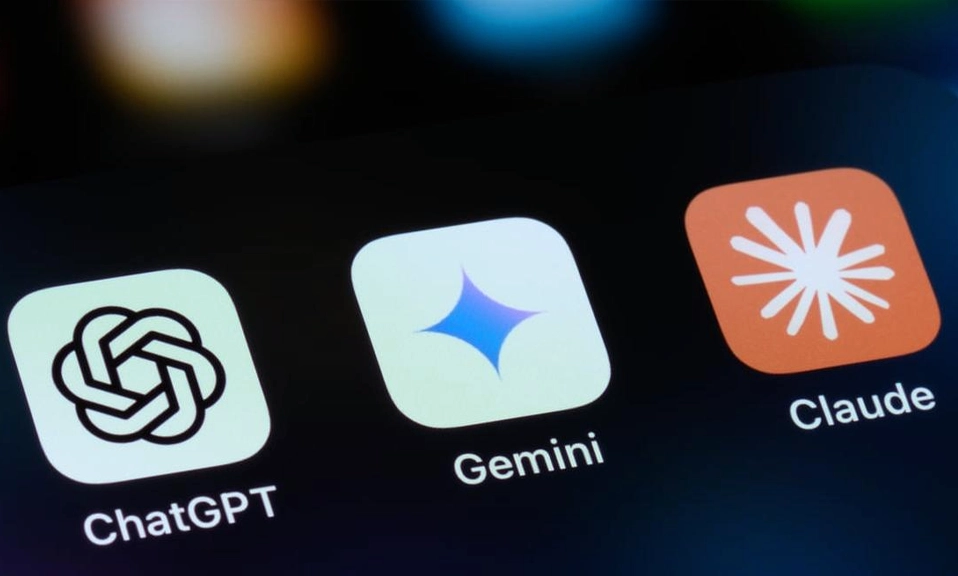
ChatGPT, Claude, and Gemini all cost about $20 a month. They all claim to be the smartest. They all say they will change how you work.
They are not the same. Not even close. After using all three for real work, writing, coding, research, emails, and planning, here is the honest breakdown of which one actually makes you more productive.
The Quick Verdict
Short answer, updated October 2026: All three are strong, and the main paid plan of each costs about $20 a month. Pick ChatGPT if you want one assistant that does a bit of everything: voice, images, agents and the widest set of features. Pick Claude if most of your work is writing, long documents or coding. Pick Gemini if you live in Gmail, Docs and Drive, or want the cheapest paid plan.
If you only want one answer and you do not want to read the rest: Get ChatGPT if you want an all-rounder. Get Claude if you write or code for a living. Get Gemini if your life is in Google.
Now, here is why.
Pricing in 2026: It Is Basically a Tie
This used to be the deciding factor. In 2026, it is not.
The mid-tier plan from all three major AI labs now costs almost exactly the same: ChatGPT Plus is $20 a month, Claude Pro is $20 a month, and Gemini Advanced, now officially branded Google AI Pro, is $19.99 a month.
Here is the real pricing table that matters:
Entry paid plan: ChatGPT Go $8 a month, Claude Pro $20 a month, Gemini Plus $4.99 a month
Main paid plan: All three around $20 a month
Top tier: ChatGPT Pro $100 to $200 a month, Claude Max $100+ a month, Gemini Ultra $99.99 to $200 a month
Gemini wins on value. Its Pro plan includes 2TB to 5TB of Google storage, depending on the plan. That alone is worth $10 a month if you already pay for Google storage. ChatGPT Go at $8 is the cheapest way to get a good ChatGPT, and it is great for students.
Price is not the deciding factor. Your workflow is.
The Models: GPT-5 vs Claude Opus 4.5 vs Gemini 3 Pro
The LLM landscape in early 2026 is dominated by three frontier models: Google’s Gemini 3 Pro, OpenAI’s GPT-5.1, and Anthropic’s Claude Opus 4.5.
All three are strong enough for everyday professional work, and their published benchmark scores are close enough that the right choice depends on your tasks, your tools and your budget more than on a leaderboard.
But the differences still matter for productivity:
Coding: Winner: Claude Opus 4.5. On SWE-bench Verified, Claude Opus 4.5 scored 80.9% and GPT-5.2 Thinking scored 80.0% in independent aggregation. In other tests, Claude hit 82.1% on SWE-bench, ahead of GPT-5 and Gemini. If you code, Claude writes cleaner, more runnable code and explains tradeoffs better.
Real Work Products: On GDPval, which asks models to produce real work products, such as a legal memo, a financial model or a design brief, across 44 occupations, the top score as of 15 Nov 2026 is 49.7% by GPT-5.2, ahead of Claude Opus 4.5 at 45.5%. GPT-5 wins when the task is “make me a real deliverable.”
Math and Reasoning: GPT-5.2 hit a clean 100% on AIME 2025 with no tools, Gemini 3 Pro managed 95.0%, and Opus 4.5 sat around 94%. On GPQA Diamond, Gemini 3 Deep Think took 93.8% and GPT-5.2 Pro took 93.2%.
Long Documents: Gemini 3 Pro handles massive 1M-token contexts with state-of-the-art multimodal understanding. You can throw an entire book, a 200-page PDF, or a whole Drive folder at it and it will not choke.
Translation: Claude is best for building things. ChatGPT is best for finishing real work. Gemini is best for swallowing huge amounts of information.
ChatGPT: The All-Rounder
ChatGPT is the strongest all-round choice for most people.
Why? Because it does everything in one app.
Deep Research is designed for longer, source-backed reports. Projects can store chats, files and instructions for ongoing work, and Canvas provides a separate space for drafting documents or working with code.
Add to that: Voice mode that actually feels like talking to a person, image generation, Sora video, Codex coding agent, scheduled tasks, and memory that remembers how you like to work.
ChatGPT is the broadest all-rounder, with plans from Go ($8) to Business ($25 a seat) and Codex.
Best for:
- Brainstorming, planning, and general work
- Research reports with citations
- Images, voice, and video in one place
- People who want one app for everything
Weakness:
- Writing can feel a bit generic, a bit “AI-ish” unless you prompt it well
- It tries to do everything, so it is not the best at any one thing
If you are a founder, manager, student, or creator who does a bit of everything every day, ChatGPT is your safest bet.
Claude: The Writer and Coder’s Best Friend
Claude fits writing, long documents and building tools; Claude Code is included from Pro ($20).
This is the one writers love. And for good reason.
Claude has the strongest dev and writer surface. Projects, Artifacts, Claude Code, Computer Use, and the MCP standard which is increasingly the lingua franca for agents talking to tools.
Artifacts is the killer feature. Ask Claude to build you a landing page, a dashboard, a slide deck, or a data visualization, and it builds it live in a side panel. You can see it, edit it, and download it. ChatGPT’s Canvas does something similar, but Artifacts feels more polished for documents and code.
Claude is also better at following complex instructions. Tell it: “Write this in my voice, keep it under 500 words, no bullet points, make it sound like me on a good day, not like a robot.” Claude actually listens.
Best for:
- Long-form writing, essays, reports, emails that matter
- Reading and summarizing long PDFs, contracts, research papers
- Coding, especially real software projects
- People who hate that “AI voice”
Weakness:
- No image generation built in like ChatGPT
- No video generation like Gemini’s Veo
- Smaller ecosystem of integrations
If your day is 80% writing, reading, and coding, Claude will make you faster than the other two, every time.
Gemini: The Google Workspace Superpower
Gemini makes the most sense when your day already lives inside Google.
Gemini fits companies on Google Workspace; Business Standard ($14 a user a month) puts it in Gmail, Docs, Sheets and Meet.
This is the part people underestimate. Gemini is not just a chatbot. It is inside your work.
You are in Gmail, and Gemini drafts a reply based on the whole thread. You are in Docs, and Gemini turns your messy notes into a clean proposal. You are in Sheets, and Gemini builds the formula. You are in Meet, and Gemini takes notes for you.
No copy-pasting. No uploading. It is already there.
Gemini can generate and edit images, analyse uploaded files, create content through Canvas and conduct multi-source research. Deep Research can combine public web sources into a long report.
And then there is NotebookLM, which is bundled with Gemini Advanced. NotebookLM turns your files into two voices discussing them, like a podcast about your documents. For students and researchers, it is magic. Upload 20 PDFs, get a 15-minute audio summary.
Gemini’s research mode, especially Deep Research, included in Advanced, produces longer, more thorough reports than the other two but the in-line citation discipline is weaker. So check the sources if accuracy matters.
Best for:
- Anyone who lives in Gmail, Docs, Drive, and Meet
- Students and researchers with lots of documents
- Video creation with Veo
- Best value, because you get storage + AI for $20
Weakness:
- Writing can feel a bit safe and corporate
- Citations are less reliable than ChatGPT’s Deep Research
- If you do not use Google, half the superpower disappears
If your job is in Google Workspace, Gemini is not just an assistant. It is a cheat code.
Head-to-Head: Which One Wins Each Productivity Task?
Writing an important email or report: Claude wins. It sounds human. ChatGPT is second. Gemini is third.
Coding a website or app: Claude wins. Claude Code is the best coding agent for most developers in 2026.
Researching a topic for work: ChatGPT wins. Its Deep Research is the most reliable for source-backed reports. Gemini is longer but less precise.
Summarizing 50 files or a whole Drive: Gemini wins. NotebookLM and 1M context are built for this.
Planning your week, brainstorming, general life admin: ChatGPT wins. It is the most versatile.
Making images, slides, and video: ChatGPT and Gemini tie. ChatGPT for images, Gemini for video with Veo. Claude cannot do video.
Working in a team: Tie. All three have team plans. Gemini wins if your team is on Workspace, ChatGPT wins if your team is mixed, Claude wins if your team is writing-heavy.
Privacy: What Should You Worry About?
All three train on your data by default on free plans, and all three let you turn it off on paid plans. Here is the simple rule:
If you are working with client data, legal documents, medical info, or anything confidential, use a paid plan and turn off training in settings. Do not paste it into a free plan.
Claude has the best reputation for privacy and safety. Google has the most data about you already, so Gemini feels more integrated but also more “Google knows everything.” ChatGPT is in the middle.
For most everyday productivity, all three are safe enough. For sensitive work, read your company policy first.
So, Which One Should You Actually Pay For?
Here is my honest system, the one I recommend to friends:
If you can only pay for one: Get ChatGPT Plus at $20. It does everything well enough that you will never feel stuck.
If you write or code for a living: Get Claude Pro at $20. It will save you hours every week, and the writing quality is worth it alone.
If you live in Google: Get Gemini Pro at $19.99. You are already paying for storage. You might as well get the AI that lives inside your inbox.
If you are a power user: Get two. Most professionals I know in 2026 use Claude for writing and coding, and ChatGPT for research and images. That is $40 a month, which is less than one hour of your time.
Do not pay for all three unless you are testing them for work. That is overkill.
In 2026, there is no bad choice.
There is only a wrong fit.
ChatGPT is the best all-rounder. Claude is the best writer and coder. Gemini is the best Google teammate.
The best AI assistant is not the one with the highest benchmark score. It is the one you actually open every morning, and the one that fits the way you already work.
Pick the one that matches your day. Use it for 30 days. Learn how to prompt it well. That will do more for your productivity than switching models every week.
The future is not “AI will replace you.” The future is “People who know how to use AI well will replace people who do not.”
Choose your assistant. Then go get your work done.