Microsoft has spent much of 2026 quietly rebuilding the foundations of Windows 11, and the results are finally rolling out to users everywhere. On October 15, 2026, the company published a comprehensive look at what’s new in Windows 11, and the headline is simple: your PC is about to feel noticeably faster, and your phone is about to feel much closer .
The update isn’t just a fresh coat of paint. It’s a deep, under-the-hood overhaul focused on responsiveness, memory efficiency, and cross-device integration—with some genuinely useful new features on top. Here’s what PC users need to know.
A Faster, More Responsive Windows
The centerpiece of this update is performance. Microsoft says Windows 11 is now up to 20% more responsive, with improvements you can feel “as soon as you boot into your PC and extending to Start, File Explorer, Search, Snipping Tool, Microsoft 365, Edge and more” .
That 20% figure is based on internal tests comparing response times in Search, the Start menu, and right-click menus. It represents a best-case performance ceiling rather than a guarantee across every scenario, but the direction is clear: Microsoft has made reducing system latency and stutter a genuine priority .
The most meaningful part of this work is in memory management. Windows 11 can now keep up to 2GB more of your active data in memory instead of moving it to slower storage, which means your PC stays responsive as you open more apps or browser tabs . For anyone with 8GB of RAM—still a common configuration on mid-range and older machines—this is a significant quality-of-life improvement.
Microsoft has also introduced memory-saving measures in the background. On PCs with 8GB of memory or less, Widgets now load only when you open them, freeing up more than 200 MB of memory for your apps and other work . Early tests from users after the 26H2 update reported memory usage dropping by as much as 2GB after a reboot .
Faster Boot Times and a Snappier Start
Microsoft has been teasing faster boot times and a more responsive login experience since IFA 2026 in Berlin, and those improvements are now arriving in the 26H2 feature update . An internal build of Windows 11 reportedly offers “significantly faster boot times,” and Windows Hello biometric authentication is also getting faster .
These changes matter most for older hardware. If you’ve been holding onto a PC that takes an eternity to wake up, this update may give it a new lease on life.
Deeper Phone Integration Than Ever Before
The other major theme of this update is connectivity—specifically, making your phone and your PC feel like a single device.
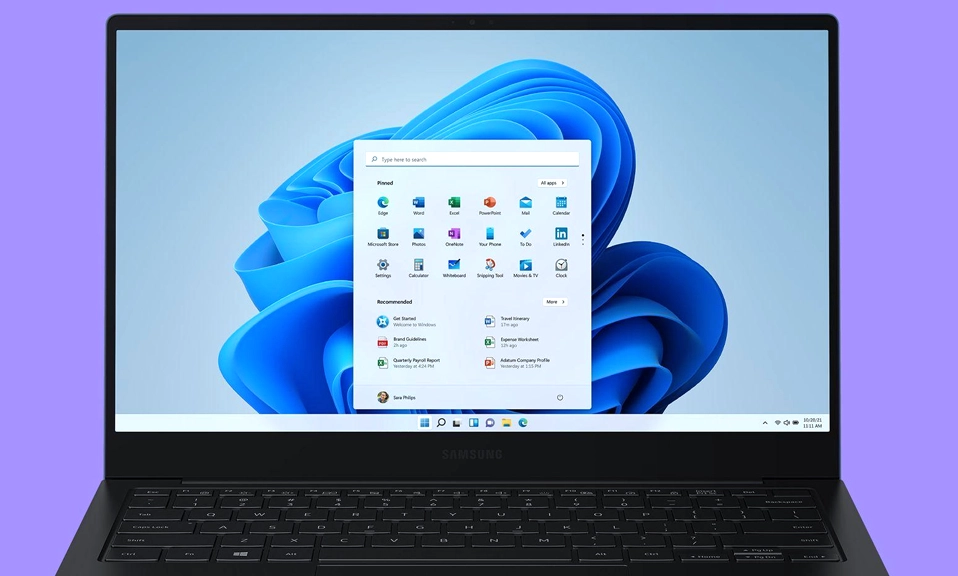
The most visible change is in the Start menu. You can now preview messages and notifications from a linked Android phone or iPhone directly within Start. When something needs a response, you can open the conversation in a dedicated chat window without picking up your phone . The messaging experience includes a conversation list, group chats, and options for sharing photos and GIFs .
Quick Settings is also getting in on the action. You can now silence your phone or make it ring from within Windows—a small but genuinely useful feature for anyone who has ever misplaced their phone around the house .
For Android users with supported devices, the integration goes further. You can open phone apps in separate, resizable desktop windows, browse phone files through File Explorer, and open newly captured photos from a PC notification. Sending files from your PC to your phone is now as simple as drag-and-drop .
Microsoft is also expanding Cross-Device Resume, which lets you continue supported activities across devices—pick up where you left off on your phone, and continue on your PC .
Bluetooth Gets More Reliable
Small frustrations matter, and Bluetooth connectivity has long been one of them. This update addresses that directly.
Bluetooth headphones now work more reliably on Windows, with smoother pairing, reconnection, audio, and calls. AirPods users get a particularly welcome improvement: pairing is now up to 15 seconds faster .
Windows 11 also now supports Shared Audio, which uses Bluetooth LE Audio broadcast technology to let two people listen to the same audio from a single PC at the same time. It’s a small feature, but a genuinely useful one for sharing a movie on a flight or studying together .
Gaming Gets a Boost
Gamers aren’t left out. Microsoft has introduced Advanced Shader Delivery (ASD) , a new feature that delivers pre-compiled shaders tailored to your specific environment. The result is faster startup times for ASD-compatible games, including Forza Horizon 6. If you’ve ever waited through shader compilation after a game update, this is for you .
The update also fixes a mouse input bug that had been affecting gaming performance, which was addressed in the October security update .
A Modernized Photos App
The Photos app has been rebuilt with a faster-loading gallery and a cleaner interface. It now includes AI-powered editing tools like object erase and fill, plus Relight lighting correction technology for adjusting light sources in your images .
These features have already rolled out to Windows Insiders, and general users will receive them later this year .
Search Gets Smarter
Windows Search has been revamped to do more than just find files. You can now perform various tasks directly from the search bar, including adjusting input/output audio settings and even sending messages to specified users . Search results now display thumbnails of Office files, making it easier to find the document you’re looking for at a glance .
More Personalization and Control
Microsoft is giving users more flexibility over their interface. You can now choose where the taskbar appears on your screen and customize the Start menu more freely. Widgets have been made “cleaner and quieter” so you have more control over what gets your attention .
Windows Update has also been improved to give you greater control over when updates happen, with better coordination to reduce restarts and less time spent applying updates .
What This Means for PC Users
This update is significant not because of any single headline feature, but because it addresses the fundamentals that shape everyday experience: speed, reliability, and how seamlessly your devices work together.
The 20% responsiveness improvement is real, even if it’s a best-case figure. The 2GB memory optimization is meaningful, especially for users who can’t or don’t want to upgrade their hardware. And the deeper phone integration reflects a broader shift in how Microsoft thinks about Windows—not as an isolated operating system, but as the center of a connected personal ecosystem.
Microsoft says the broader Windows improvements are “starting to roll out, with more to come,” though it hasn’t given specific release dates for every phone feature. Availability will vary by device and mobile platform .
For now, the message from Microsoft is clear: Windows 11 is getting faster, leaner, and more connected. And for the millions of users still running older hardware, that’s very good news indeed.