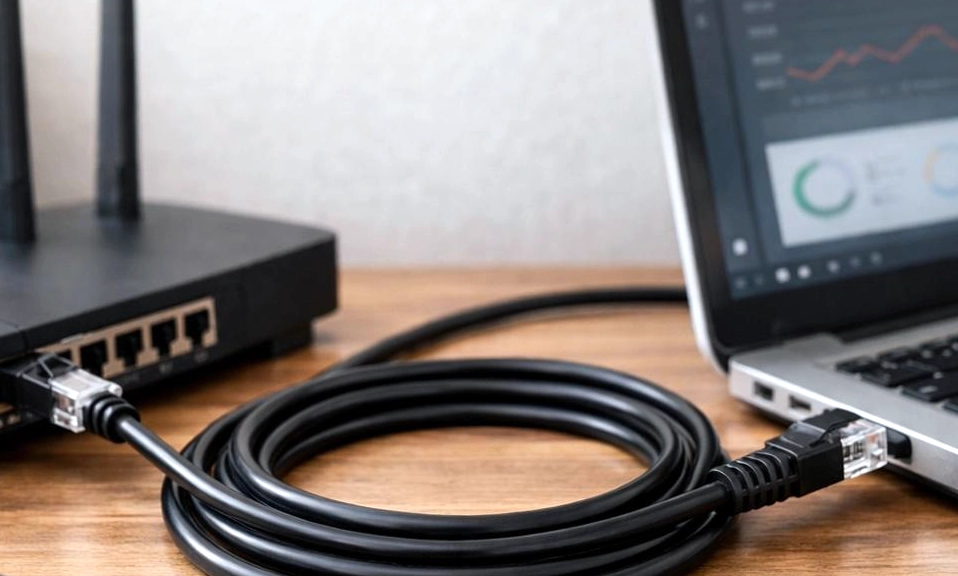
It is the eternal debate of the modern household. You’re setting up a new gaming console, a smart TV, or a home office desk, and you look at the back of the device. There’s a little square port staring back at you.
Do you bother running a cable across the room, or do you just connect to the Wi-Fi like everyone else?
For the average user, Wi-Fi is the undisputed king of convenience. It’s invisible, it’s everywhere, and it lets you stream a movie from the bathtub. But ask any hardcore gamer, video editor, or IT professional, and they will tell you to “always plug in.”
So, which is actually better? Is the physical cable really worth the hassle in the era of Wi-Fi 6 and Wi-Fi 7? Let’s step into the ring and break down the ultimate showdown: Ethernet vs. Wi-Fi.
⚡ Round 1: Raw Speed and Bandwidth
Wi-Fi: Modern Wi-Fi (especially Wi-Fi 6, 6E, and the newly rolled-out Wi-Fi 7) is incredibly fast. Under perfect conditions, a high-end Wi-Fi router can deliver multi-gigabit speeds that rival or even beat standard wired connections. Ethernet: A standard Cat5e or Cat6 Ethernet cable guarantees a rock-solid 1 Gigabit per second (Gbps) connection, while Cat6a and Cat8 can push 10 Gbps or more. The Verdict: Tie (with a caveat). While Wi-Fi has a higher theoretical top speed on paper, it rarely achieves it in the real world due to distance and interference. Ethernet delivers its maximum rated speed 100% of the time. For 99% of households, both are more than fast enough to max out your internet plan.
🎮 Round 2: Latency and Ping (The Gamer’s Holy Grail)
Wi-Fi: Wi-Fi relies on radio waves, which means your data has to wait its turn to be transmitted through the air. This creates “jitter” and micro-stutters. You might have a 500 Mbps Wi-Fi connection, but if your ping spikes for a fraction of a second, you’ll still rubber-band in a video game or freeze on a Zoom call. Ethernet: A cable provides a dedicated, direct, physical line to the router. There is no waiting for airtime, no interference, and virtually zero jitter. The Verdict: Ethernet (Undisputed). If you play competitive multiplayer games, trade stocks, or host professional video conferences, Ethernet’s ultra-low, stable latency is an absolute necessity.
🧱 Round 3: Stability and Interference
Wi-Fi: Radio waves are fragile. They are degraded by physical obstacles (concrete walls, metal studs, large fish tanks) and disrupted by electromagnetic interference (microwaves, baby monitors, Bluetooth devices, and your neighbor’s router). Ethernet: Copper cables are shielded and immune to environmental interference. A wired connection doesn’t care if your roommate is microwaving a burrito or if the neighbor is downloading a 100GB file. The Verdict: Ethernet. It is the definition of “set it and forget it” stability.
🛡️ Round 4: Security
Wi-Fi: Because Wi-Fi broadcasts data through the air, it can theoretically be intercepted by anyone within range. While modern WPA3 encryption makes this incredibly difficult for the average hacker, the vulnerability still exists. Ethernet: To intercept an Ethernet connection, a hacker would have to physically break into your house and plug a device directly into your cable. The Verdict: Ethernet. Physical security is always superior to wireless security.
🛋️ Round 5: Convenience and Aesthetics
Wi-Fi: You can walk from the kitchen to the patio without dropping your Spotify playlist. You can work from the couch, the bed, or the floor. There are no ugly cables to trip over or hide under baseboards. Ethernet: You are tethered to the wall. If your router is in the living room and your PC is in the bedroom, you either have to drill holes, run cables under carpets, or stare at a ugly wire snaking across your hallway. The Verdict: Wi-Fi (By a landslide). We live in a mobile world, and being tied to a desk isn’t practical for phones, tablets, and laptops.
🏆 The Final Verdict: Why Choose When You Can Have Both?
The secret of IT professionals isn’t that they exclusively use Ethernet or exclusively use Wi-Fi. The secret is that they build a Hybrid Network.
You shouldn’t view Ethernet and Wi-Fi as enemies; they are teammates. The best home networks use Ethernet for the “heavy lifting” and Wi-Fi for the “daily mobility.”
What you should plug in via Ethernet:
- Desktop PCs and Gaming Consoles: For zero-lag gaming and massive, rapid downloads.
- Smart TVs and Streaming Boxes: To ensure 4K HDR streams never buffer.
- Mesh Wi-Fi Nodes: If you have a mesh system, wiring the satellite nodes to the main router via Ethernet (called “Ethernet backhaul”) gives you flawless, whole-home Wi-Fi with zero speed loss.
- Network Attached Storage (NAS) / Home Servers: For lightning-fast local file transfers.
What you should keep on Wi-Fi:
- Smartphones and Tablets: Because they move around the house.
- Laptops: For the freedom to work from anywhere.
- Smart Home IoT Devices: Smart bulbs, plugs, thermostats, and robot vacuums don’t need gigabit speeds; the 2.4GHz Wi-Fi band is perfect for them.
Wi-Fi has evolved to
the point where it is “good enough” for almost everything. If running a cable is physically impossible in your home, a modern Wi-Fi 6 router will serve you beautifully.
But if you have the ability to plug in your stationary, bandwidth-hungry devices, do it. It takes five minutes to run a cable, and it will instantly eliminate buffering, dropouts, and lag on your most important devices.
Stop forcing your router to push everything through the air. Plug in the heavyweights, let the Wi-Fi breathe, and watch your home network transform.