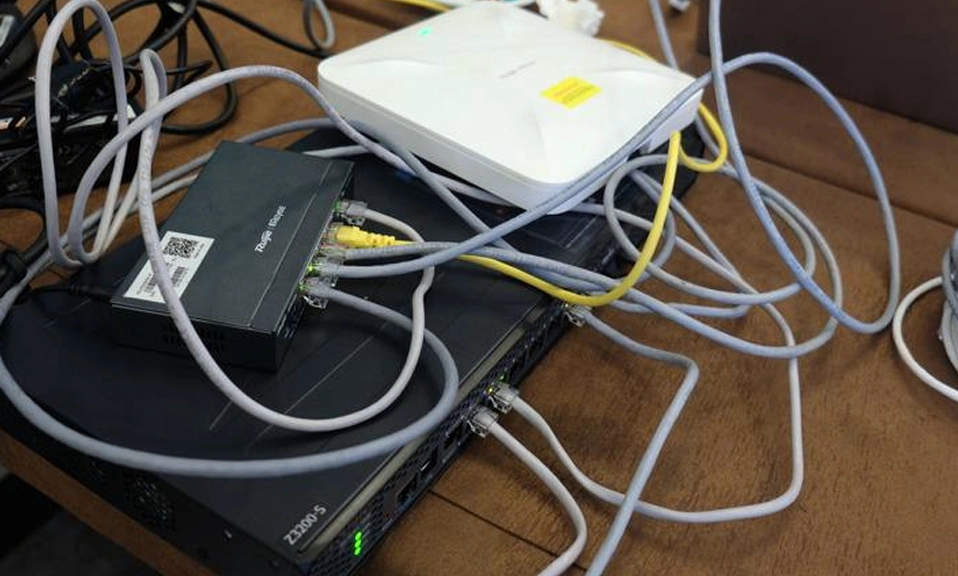
We rely on our home networks for absolutely everything. We work from them, stream our entertainment on them, and connect our smart homes through them. Yet, when it comes to our Wi-Fi router, most of us treat it like a toaster: we plug it in, ignore it for five years, and then get angry when it stops working properly.
But your router isn’t just an appliance; it’s the digital front door to your home and the traffic cop for your entire digital life. And just like a traffic cop, if it’s given bad instructions or placed in a bad spot, the whole system grinds to a halt.
Whether you’re dealing with dead zones, frustrating lag, or just want to lock down your digital privacy, you might be sabotaging your own network without even realizing it.
Here are 10 of the most common networking mistakes people make, and exactly how to fix them.
📦 1. Putting the Router in “Router Jail”
The Mistake: Hiding your router inside a closed wooden TV cabinet, tucking it behind a massive metal flat-screen, or shoving it in a dark corner of the basement because “it’s ugly.” Why It’s Bad: Wi-Fi signals are radio waves. They are easily absorbed by water, blocked by concrete, and reflected by metal. If your router is suffocating inside a cabinet, it doesn’t matter how fast your internet plan is; the signal can’t escape the box. The Fix: Elevate and centralize. Place your router on a high, open shelf in the center of your home. Keep it away from microwaves, cordless phones, and large metal objects. Give it room to breathe and broadcast.
🔑 2. Leaving the Default Passwords (Both of Them)
The Mistake: Keeping the default Wi-Fi password, or worse, keeping the default Admin password (often just “admin” and “password”). Why It’s Bad: Hackers use automated bots to scan for routers that still use factory-default admin credentials. If they guess it, they own your router. Furthermore, default Wi-Fi passwords are often printed on the bottom of the device, meaning anyone who has ever visited your house (or looked at the sticker through the window) knows the key to your network. The Fix: Change them immediately. Create a strong, unique Wi-Fi passphrase. Then, log into the router’s admin panel and change the admin login credentials to something completely different.
🔄 3. Never Restarting the Router
The Mistake: Plugging the router in and never turning it off, letting it run for years without a single reboot. Why It’s Bad: Routers are tiny computers. Over time, their RAM gets clogged with memory leaks, bloated DNS caches, and “zombie” connections from devices that disconnected improperly. This leads to slow speeds and random dropouts. The Fix: Give it a break. Unplug it for 60 seconds once a month to clear the cache. Pro tip: Plug your router into a cheap smart plug and schedule it to automatically reboot at 3:00 AM every Sunday while you sleep.
📡 4. Forcing Everything onto Wi-Fi
The Mistake: Connecting your smart TV, gaming console, and desktop PC to Wi-Fi, even though they never move. Why It’s Bad: Wi-Fi is a shared medium. Every device connected wirelessly has to wait its turn to “talk” to the router. When you have a TV streaming 4K and a console downloading a massive game update over Wi-Fi, they are hogging the airtime, slowing down the phones and laptops in the house. The Fix: Hardwire the heavyweights. If a device doesn’t move, plug it directly into the router using an Ethernet cable. It’s faster, more stable, and instantly frees up Wi-Fi bandwidth for your mobile devices.
🛡️ 5. Using Outdated Security Protocols
The Mistake: Leaving your router’s security set to WEP or the original WPA. Why It’s Bad: WEP and WPA are ancient, broken security standards. A determined hacker can crack a WEP password in minutes using free software, giving them full access to your network and your personal data. The Fix: Log into your router’s wireless security settings and upgrade to WPA2-AES or, if your router and devices support it, WPA3. Never look back.
🚪 6. Leaving WPS Enabled
The Mistake: Keeping Wi-Fi Protected Setup (WPS) turned on because it’s “convenient” for connecting devices without typing a password. Why It’s Bad: WPS uses an 8-digit PIN to connect devices. That PIN is fundamentally flawed and can be brute-forced by hacking software in a matter of hours, completely bypassing your strong Wi-Fi password. The Fix: Find the WPS setting in your router’s admin panel and turn it OFF. The minor inconvenience of typing in your Wi-Fi password is worth closing this massive security backdoor.
📱 7. Putting Smart Home Devices on the Main Network
The Mistake: Connecting cheap smart bulbs, Wi-Fi plugs, and smart thermostats to the exact same network as your personal laptops and banking data. Why It’s Bad: Budget IoT (Internet of Things) devices are notorious for having terrible security. If a hacker compromises your smart lightbulb, they can use it as a stepping stone to jump over to your main network and access your computers. The Fix: Set up a Guest Network. Connect all your visitors and your “dumb” smart home devices to this isolated network. It gives them internet access but builds a digital wall, keeping them away from your sensitive data.
📶 8. Ignoring the 2.4GHz vs. 5GHz Split
The Mistake: Letting the router combine both bands into one name, or forcing all devices onto the 5GHz band. Why It’s Bad: The 5GHz band is blazing fast but has a short range and struggles with walls. The 2.4GHz band is slower but travels far. If you force a smart doorbell (which only supports 2.4GHz) to look for a 5GHz signal, it will constantly disconnect. The Fix: Split the bands in your router settings (e.g.,
MyWiFi_5G and MyWiFi_2G). Put your phones, laptops, and TVs on the fast 5GHz band. Put your smart home gadgets and distant devices on the long-range 2.4GHz band.💾 9. Ignoring Firmware Updates
The Mistake: Never checking for router firmware updates. Why It’s Bad: Firmware is the router’s operating system. Manufacturers release updates to patch critical security vulnerabilities, fix bugs, and sometimes even improve Wi-Fi performance. Running outdated firmware leaves you exposed to known exploits. The Fix: Check your router’s app or admin panel for a “Firmware Update” section. Run the update, and then toggle on “Automatic Updates” so you never have to think about it again.
🦕 10. Holding Onto Ancient Hardware
The Mistake: Using a 7-year-old router provided by your ISP and expecting it to handle a modern household with 25+ connected devices. Why It’s Bad: Wi-Fi technology has evolved massively. Older routers lack the processor power, RAM, and antenna tech (like MU-MIMO and OFDMA found in Wi-Fi 6) to handle multiple devices talking at once. No amount of settings tweaking can fix obsolete hardware. The Fix: If your router is more than 4 to 5 years old, retire it. Invest in a modern Wi-Fi 6 router or a Mesh Wi-Fi system. The leap in speed, capacity, and security will feel like upgrading from a dial-up modem to fiber optics.
Take Control of Your Network
Your home network is the backbone of your modern life. When it’s working perfectly, you don’t notice it. But when it’s bogged down by bad settings, outdated security, or poor placement, it ruins your day.
The good news is that fixing these 10 mistakes doesn’t require a computer science degree. It just takes about 20 minutes of your time, a cup of coffee, and a willingness to log into your router’s admin panel.
Stop letting your router run on factory defaults. Tweak the settings, upgrade the security, and give your hardware the respect it deserves. Your digital life will run smoother, faster, and safer because of it.