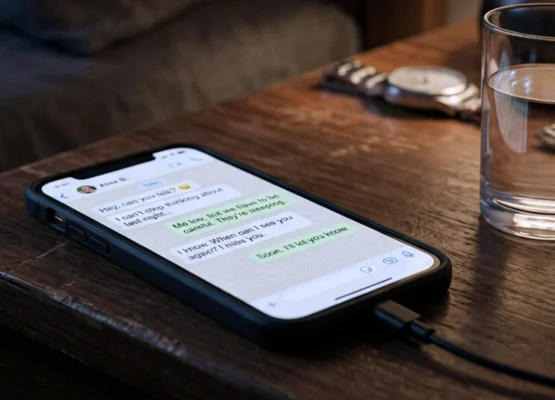
It starts innocently enough. You download a flashlight app, and it asks for access to your contacts. You install a game, and it wants your location. You sign up for a weather app, and suddenly it’s requesting access to your microphone.
We tap “Allow” without thinking, conditioned by years of pop-up prompts and the fear that denying permission might break the app. But here’s the uncomfortable truth: Your smartphone is a surveillance device that you paid for.
Between app trackers, data brokers, location history, and voice recordings, your phone knows more about you than your closest friends. It knows where you sleep, who you talk to, what you buy, what you’re embarrassed to search for at 2 AM, and exactly how long you spend staring at your ex’s Instagram photos.
The good news? You can take back control.
Here are 10 critical privacy settings you should change right now to stop your smartphone from oversharing your life.
1. Disable “Precise” Location Services 📍
The Problem: Most apps don’t need to know your location down to the exact meter. A weather app needs your city, not your living room coordinates. Yet, by default, most apps are granted “Precise Location” access, which tracks you within a few feet. The Fix:
- iOS: Settings > Privacy & Security > Location Services > [Select App] > Toggle off “Precise Location.”
- Android: Settings > Location > App Location Permissions > [Select App] > Set to “Approximate.” Why it matters: This prevents apps from building a hyper-accurate map of your daily movements, habits, and home address.
2. Turn Off Ad Tracking (MAID/IDFA)
The Problem: Your phone has a unique advertising ID (IDFA on iPhone, GAID on Android) that follows you from app to app, building a profile of your interests to serve targeted ads. It’s a digital leash. The Fix:
- iOS: Settings > Privacy & Security > Tracking > Toggle off “Allow Apps to Request to Track.”
- Android: Settings > Privacy > Ads > Toggle on “Delete advertising ID” or “Opt out of Ads Personalization.” Why it matters: This breaks the chain of cross-app tracking, making it much harder for data brokers to build a comprehensive profile of your digital life.
3. Revoke Microphone & Camera Access for Non-Essential Apps 📷
The Problem: Does your calculator app really need access to your microphone? Does your flashlight app need your camera? Many apps request these permissions “just in case,” creating potential security vulnerabilities. The Fix:
- iOS/Android: Go to Settings > Privacy > Permission Manager (or Microphone/Camera). Review the list and toggle off access for any app that doesn’t absolutely need it to function. Why it matters: This prevents malicious or compromised apps from secretly recording you or accessing your camera in the background.
4. Disable “Sign in with Apple/Google” Tracking (where applicable) 🔐
The Problem: Using “Sign in with Apple” or “Sign in with Google” is convenient, but it can link your identity across different services unless you use the “Hide My Email” feature. The Fix: Always select “Hide My Email” when signing up for non-essential services using Apple/Google login. This generates a random, unique email address that forwards to your real inbox, keeping your actual email private. Why it matters: It prevents companies from building a unified profile of your online activity based on your single email address.
5. Stop Sharing Analytics & Diagnostics Data 📊
The Problem: Your phone constantly sends “anonymous” diagnostic and usage data back to Apple or Google. While often anonymized, this data can still reveal usage patterns, app crashes, and device health. The Fix:
- iOS: Settings > Privacy & Security > Analytics & Improvements > Toggle off everything.
- Android: Settings > Privacy > Usage & Diagnostics > Toggle off. Why it matters: You stop contributing to the massive data harvesting machine, keeping your usage habits to yourself.
6. Restrict Photo Library Access to “Selected Photos” 📸
The Problem: When an app asks for access to your photos, the default is often “All Photos.” This gives a simple photo-editing app access to your entire camera roll, including screenshots of private conversations, photos of IDs, or sensitive documents. The Fix:
- iOS: Settings > Privacy & Security > Photos > [Select App] > Choose “Limited Access” and select only the specific photos the app needs.
- Android: Settings > Privacy > Permission Manager > Photos & Videos > [Select App] > “Don’t Allow” or limit scope if available. Why it matters: It contains the damage. If that app is breached or turns malicious, they only get the three vacation photos you selected, not your entire digital life.
7. Turn Off “Improve Siri/Google Assistant” Recordings 🗣️
The Problem: By default, voice assistants may save audio recordings of your commands to “improve services.” This means human contractors could potentially listen to snippets of your private requests to train the AI. The Fix:
- iOS: Settings > Siri & Search > Turn off “Improve Siri & Dictation” and delete existing Siri history.
- Android: Settings > Google > Settings for Google Apps > Search, Assistant & Voice > Voice > Turn off “Web & App Activity” or delete voice history. Why it matters: It ensures your private voice commands remain private, not part of a training dataset.
8. Disable Bluetooth Tracking for Retailers
The Problem: Even when you aren’t actively using Bluetooth, your phone constantly broadcasts a signal that can be used by retailers and advertisers to track your physical movement through malls and stores. The Fix:
- iOS: Settings > Privacy & Security > Location Services > System Services > Turn off “Networking & Wireless” or “Bluetooth Networking.”
- Android: Settings > Privacy > Location > Scanning > Turn off “Bluetooth Scanning.” Why it matters: It stops your phone from being a beacon that advertisers can ping to track your offline shopping habits.
9. Review “Background App Refresh” 🔄
The Problem: Apps can refresh their content in the background even when you aren’t using them. This drains battery, uses data, and allows apps to fetch new tracking information without your knowledge. The Fix:
- iOS: Settings > General > Background App Refresh > Turn it off completely or restrict it to Wi-Fi only / essential apps.
- Android: Settings > Network & Internet > Data Saver > Restrict data for background apps. Why it matters: It gives you control over when apps are active, ensuring they only run when you explicitly open them.
10. Delete Your Advertising ID & Reset Identifiers 🆔
The Problem: Over time, apps accumulate a history of your behavior linked to your device’s unique identifiers. Even if you change settings, that historical data often remains linked to your device. The Fix:
- iOS: Settings > Privacy & Security > Tracking > Reset your advertising identifier (or limit ad tracking).
- Android: Settings > Privacy > Ads > “Delete advertising ID.” Why it matters: It’s the digital equivalent of changing your license plate. It breaks the long-term link to your past behavior, forcing trackers to start from scratch.
Privacy Is a Practice, Not a Product
You will never be 100% invisible. The modern smartphone is designed to share data; it’s the business model of the internet age.
But by taking 15 minutes to adjust these settings, you move from being an open book to being a puzzle. You make it significantly harder, more expensive, and less profitable for companies to profile you.
Privacy isn’t about having something to hide. It’s about having something to protect: your autonomy, your identity, and your right to exist without being constantly monitored, analyzed, and sold.
Take control today. Your future self will thank you.
Did you find any of these settings turned on that surprised you? Do you have other privacy tips for keeping your digital life secure?