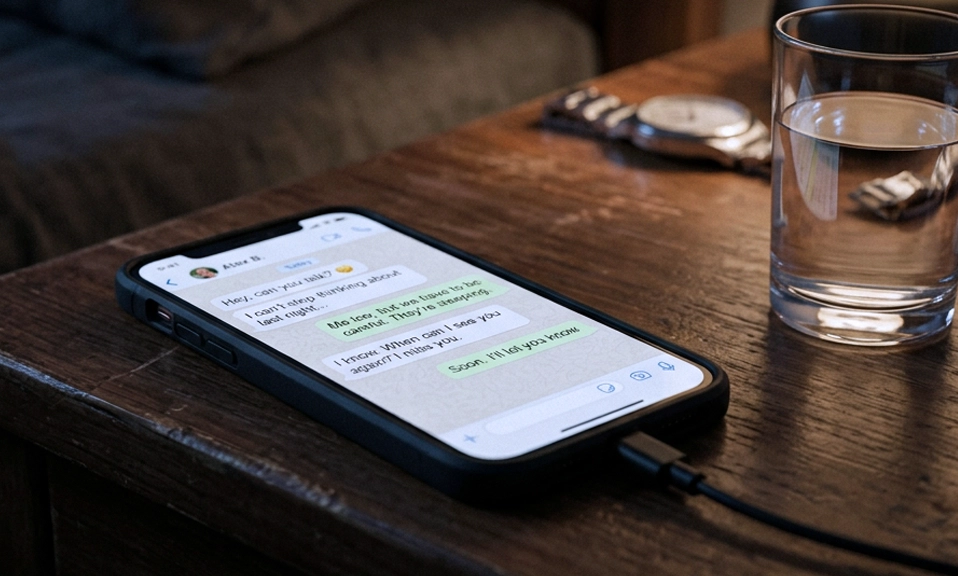
You send a “View Once” photo on WhatsApp. You breathe a sigh of relief, knowing that Apple’s famously strict privacy ecosystem has your back. Unlike the wild west of Android, the iPhone is a walled garden, and WhatsApp’s screenshot-blocking feature is supposed to be an impenetrable fortress.
But is it truly foolproof?
If you’ve ever heard whispers of people capturing “View Once” media on an iPhone, they aren’t necessarily lying. While a standard, out-of-the-box iPhone will strictly enforce WhatsApp’s screenshot ban, there are a few specific scenarios where the ban can be circumvented.
Here is the truth about how WhatsApp’s screenshot ban works on iOS, and the rare loopholes that allow “some” iPhones to ignore it.
🛡️ The Apple Fortress: How iOS Enforces the Ban
To understand the bypass, you first have to understand the defense.
On Android, apps use a software flag (
FLAG_SECURE) that asks the OS to block screenshots. On iOS, the enforcement is much deeper and more absolute. Apple provides native, system-level APIs that apps like WhatsApp can call to mark a screen as “secure.”When you open a “View Once” message on a stock iPhone, the iOS kernel itself intercepts any attempt to capture the display. If you press the screenshot buttons, the screen will flash, but the resulting image will be completely black. Furthermore, iOS prevents screen recording apps from capturing the secure window, and it blurs the content in the App Switcher.
For 99.9% of iPhone users, the ban is absolute. Apple’s strict app sandboxing means WhatsApp’s privacy rules are enforced by the operating system itself, leaving almost no room for third-party apps to interfere.
🛠️ The Exceptions: How the Ban Gets Bypassed on iOS
So, how do reports of iPhone screenshot bypasses exist? It comes down to a few specific, often extreme, workarounds.
1. The Jailbreak Factor 📱
This is the most direct software bypass. Just like rooted Androids, a “jailbroken” iPhone has had its operating system restrictions removed, granting the user root access. Jailbreak enthusiasts can install “tweaks” (via Cydia or Sileo) specifically designed to hook into iOS’s private APIs and disable screenshot blocking. To a jailbroken iPhone, the OS is forced to ignore WhatsApp’s request to black out the screen, allowing the screenshot to be saved normally.
2. The “Analog Hole” (The Ultimate Bypass) 📸
No amount of billion-dollar software engineering can fix the “Analog Hole.” If someone wants to save a View Once photo on an iPhone, they can simply pick up a second phone (an Android, an old iPhone, or a digital camera) and take a picture of the screen. WhatsApp has no way to detect a physical camera pointing at a display. This low-tech method is, by far, the most common way “View Once” media is captured on iOS.
3. Screen Mirroring and AirPlay Glitches 📺
Apple tries to black out secure content when you mirror your iPhone screen to a Mac or Apple TV. However, the ecosystem isn’t perfectly airtight. Historically, users have found edge-case loopholes using third-party screen-mirroring apps or specific Mac software that can capture the desktop framebuffer a fraction of a second before iOS has time to apply the blackout overlay. While Apple aggressively patches these specific vulnerabilities in every iOS update, the cat-and-mouse game means temporary gaps in the armor occasionally appear.
4. Accessibility Feature Exploits ♿
Very rarely, users discover that certain combinations of iOS Accessibility features (like AssistiveTouch or Switch Control) can be manipulated to trigger a screen capture in a way that bypasses the standard screenshot detection API. However, these are highly unreliable, usually patched by Apple within weeks of going viral, and often result in a black image anyway.
⚖️ The Philosophy: The Walled Garden vs. User Ownership
This highlights the fundamental difference between Apple and Google.
Apple’s Perspective: The ecosystem is a curated, secure environment. If an app developer (like WhatsApp) flags content as sensitive, the iOS operating system will act as the ultimate enforcer. The user does not have the right to override this, because the OS prioritizes the app’s intended functionality and user privacy.
The Reality: While this makes iOS vastly more secure than Android for the average user, it also proves that no digital system is 100% secure. Whether through jailbreaking, exploiting a temporary mirroring bug, or simply using a second camera, the illusion of total control is just that—an illusion.
“View Once” is a Deterrent, Not a Vault
The existence of these rare iOS loopholes doesn’t mean WhatsApp is broken. In fact, Apple’s implementation of the screenshot ban is the gold standard of mobile privacy.
However, the takeaway for everyday users remains the same as it is on Android: Treat “View Once” as a social deterrent, not a cryptographic guarantee.
If you are sending something truly sensitive, do not rely on a software toggle to protect it. The moment a digital file is rendered as light on a physical screen, you have lost control of it.
WhatsApp can lock the digital door, but someone can always just take a picture of the window.
Did you know about the “Analog Hole” or jailbreak loopholes on iPhone? Do you feel safer sending “View Once” media on iOS compared to Android? 📱🔒🍏