For over a decade, Google Chrome has been the undisputed king of the web browser world. It’s fast, it’s ubiquitous, and it’s the default on billions of devices.
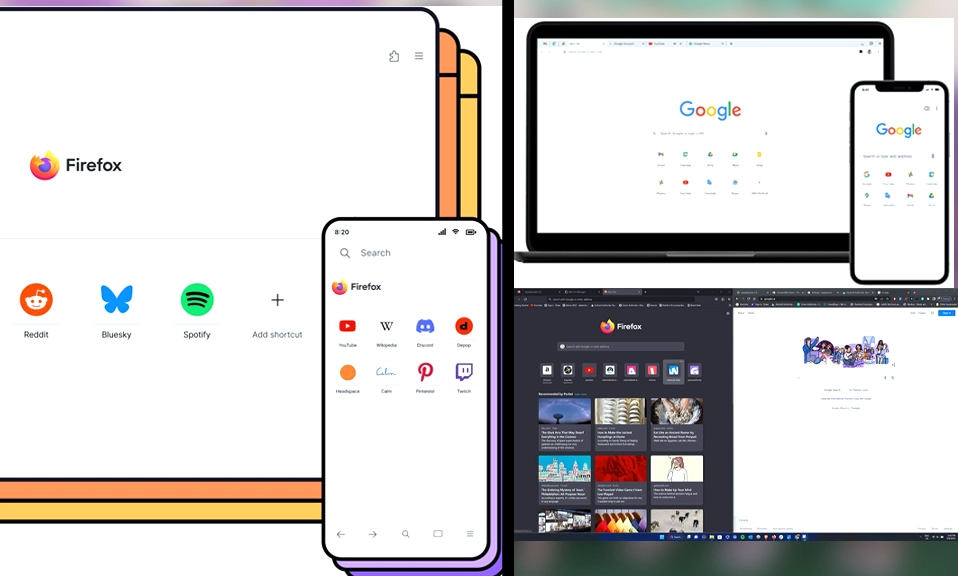
But standing in the ring with the 800-pound gorilla is a legendary contender that refuses to back down: Mozilla Firefox.
Firefox isn’t just another browser; it’s the last major independent browser not built on Google’s Chromium engine. It’s backed by a non-profit organization whose stated mission is to keep the internet open, accessible, and private.
If you’re tired of your computer sounding like a jet engine, or if you’re creeping out by how much Google knows about you, it might be time to look at the alternative. Let’s break down the ultimate showdown: Firefox vs. Chrome.
⚡ Round 1: Performance & Resource Management
Chrome: Chrome is famously fast at executing JavaScript and rendering complex web pages. However, it has a well-earned reputation as a “RAM hog.” If you are a chronic tab-hoarder with 30+ tabs open, Chrome will happily consume gigabytes of memory, which can slow down older machines or drain laptop batteries.
Firefox: Since its massive “Quantum” overhaul, Firefox has made incredible strides in performance. While Chrome might edge it out in raw, single-tab speed benchmarks, Firefox is significantly better at memory management. It handles large numbers of open tabs much more efficiently, using less RAM and putting inactive tabs to sleep more aggressively than Chrome.
Winner: Firefox. For real-world, multi-tab efficiency and keeping your computer running smoothly, Firefox takes the crown.
🛡️ Round 2: Privacy & Data Collection (The Big One)
Chrome: Let’s be blunt: Chrome is built by Google, the world’s largest advertising company. While Chrome is highly secure against malware and hackers, its business model relies on collecting data about your browsing habits to fuel targeted ads. Furthermore, Google’s upcoming “Manifest V3” changes to browser extensions are widely seen as a move that will intentionally cripple the effectiveness of third-party ad blockers.
Firefox: Mozilla is a non-profit organization. They do not sell your data. Firefox comes with Enhanced Tracking Protection turned on by default, which actively blocks cross-site trackers, cryptominers, and fingerprinting scripts. Firefox also isolates cookies by default (Total Cookie Protection), meaning advertisers can’t track you from site to site.
Winner: Firefox (by a landslide). If you value your digital privacy, Firefox is the only logical choice between the two.
🧰 Round 3: Extensions & Customization
Chrome: The Chrome Web Store is the gold standard for browser extensions. If a tool, plugin, or utility exists for the web, it’s on Chrome. It also boasts the best developer tools in the industry, making it the undisputed favorite for web creators.
Firefox: Firefox has a massive extension library of its own, but its real superpower is freedom. Firefox allows deep, granular customization of the browser’s interface (via
about:config and custom CSS) that Chrome simply does not permit. More importantly, Firefox is the only major browser that still fully supports powerful, unrestricted ad-blocking extensions.Winner: Tie. Chrome wins on sheer volume of niche extensions. Firefox wins on deep customization and the freedom to run powerful privacy tools.
🔄 Round 4: Cross-Platform Sync & Ecosystem
Chrome: This is where Chrome’s ecosystem dominance shines. If you use a Windows PC at work, a Mac at home, and an Android phone in your pocket, Chrome seamlessly syncs your passwords, history, bookmarks, and open tabs across all of them without breaking a sweat.
Firefox: Firefox also offers excellent cross-platform syncing (Windows, Mac, Linux, iOS, and Android), and it has a massive advantage: all Firefox sync data is end-to-end encrypted. Google can technically access your synced Chrome data; Mozilla cannot. However, Chrome’s integration with Google Workspace and Android OS is still slightly more seamless.
Winner: Chrome for sheer ubiquity and OS-level integration, though Firefox’s encrypted sync is a major plus for security-conscious users.
📱 Round 5: The Mobile Experience
Chrome: The mobile Chrome experience is smooth and reliable, syncing perfectly with your desktop. However, on Android, Google strictly prohibits third-party extensions. You get the base browser, and that’s it.
Firefox: Firefox on mobile is a revelation, especially on Android. Firefox for Android supports full desktop-grade extensions. This means you can install uBlock Origin directly on your phone, giving you a true, ad-free, tracker-free mobile browsing experience that Chrome simply cannot match. (Firefox on iOS is also excellent, though Apple’s rules limit extension support there).
Winner: Firefox. The ability to run a true ad-blocker on your Android phone is a game-changer.
The Bottom Line: Which Should You Choose?
The “best” browser depends entirely on what you value most in your digital life.
Choose Google Chrome if:
- You are deeply embedded in the Google ecosystem (Gmail, Google Drive, Android) and want flawless, effortless syncing. **You rely on very specific, niche browser extensions for work or school that are only available on Chrome.
- You are a web developer who needs the absolute best-in-class debugging tools.
- You prioritize raw, single-tab page-load speed over memory usage.
Choose Mozilla Firefox if:
- Privacy is your top priority. You want a browser that blocks trackers by default and isn’t owned by an advertising company.
- You are a “tab hoarder” and want a browser that manages RAM efficiently without slowing down your computer.
- You want to use powerful ad-blockers (like uBlock Origin) on both your desktop and your Android phone.
- You believe in supporting an independent, non-profit web that isn’t entirely controlled by a single tech monopoly.
For years, the advice was
“use Chrome because it’s just better.” That is no longer true.
Today, Firefox is the superior choice for the conscious, privacy-minded user. It is fast, incredibly efficient with memory, and stands as the last true guardian of an open, unmonetized web.
If you haven’t tried Firefox in the last few years, download it, import your bookmarks, and give it a week. You might just find that you never want to go back to the Google machine.