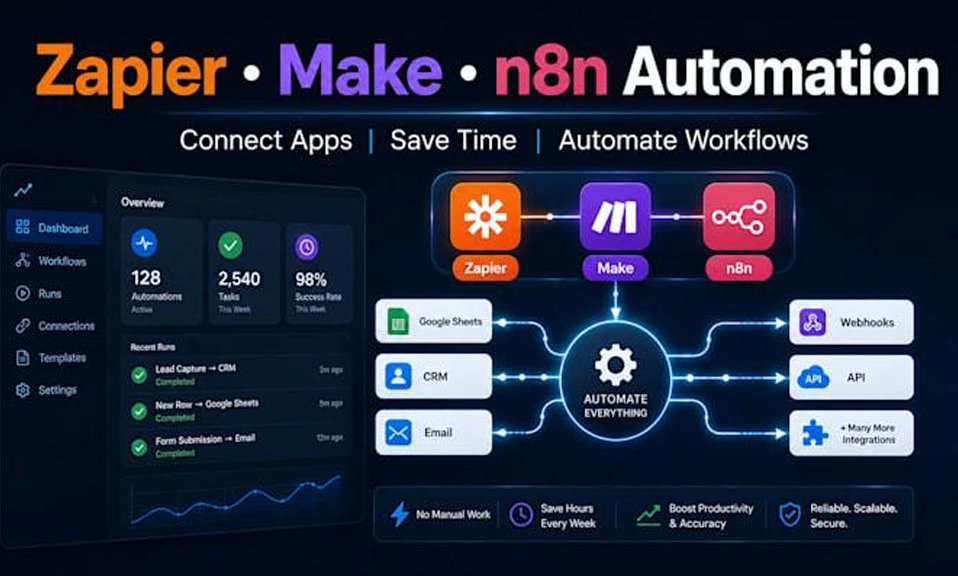
The answer depends entirely on what kind of “saving time” matters most to you. If you want the fastest possible path from signing up to having a working automation—live in roughly 30 minutes, with zero technical knowledge—Zapier is the clear winner. If you want to save time on the workflows that matter most at scale, the ones with many steps that run frequently and require custom logic, n8n will save you far more time (and money) once you get past its steeper setup curve.
The real distinction is not which tool is “better.” It is which tool’s definition of efficiency aligns with how you work. Zapier optimises for time-to-first-automation. n8n optimises for time-to-scalable-automation. For a non-technical team with a handful of simple Zaps, Zapier’s time savings are real and immediate. For a technical team running complex, high-volume workflows, n8n’s execution-based pricing and unlimited branching turn hours of manual stitching into a single automated run.
⚡ Setup Speed: Zapier Wins Before You Even Start
The single biggest time advantage Zapier has is that it removes every barrier between you and a working automation.
Zapier is hosted, no-code, and ready in minutes. Sign-up to your first live Zap takes roughly 5 to 15 minutes. There is nothing to install, no server to configure, and no infrastructure to maintain. Its linear builder—trigger, then action—is simple enough that a non-technical team member can ship value in 30 minutes without asking for help. The AI Copilot can describe a workflow for you, suggest steps, and ask clarifying questions when something is unclear, which further compresses the build time.
n8n requires more from you before it saves you anything. The learning curve is consistently described as the steepest of the major automation platforms. Its canvas is built for branching, loops, and code—powerful, but not self-explanatory. You will spend time understanding nodes, credentials, and workflow logic before your first automation is live. The payoff comes later, but the upfront time cost is real.
The verdict: If the clock starts the moment you decide to automate something, Zapier saves more time immediately. n8n’s setup time is an investment, not a shortcut.
🔀 Workflow Complexity: n8n Saves Time Where It Counts Most
The time savings flip once your workflows become complex. This is where Zapier’s simplicity becomes a liability.
Zapier’s linear model is fast for simple things and slow for everything else. Its branching is limited to a premium-only Paths feature, and users report that it “quickly becomes restrictive and expensive for multi-step workflows”. Handling loops and large data sets often requires premium workarounds, and error recovery is largely limited to re-running the entire Zap. For a two-step notification, this is fine. For a ten-step process with conditional logic, you will spend more time designing around Zapier’s limits than you would spend building the workflow in n8n.
n8n is built for the workflows that consume the most human time. It offers native IF, Switch, and Merge nodes for multi-path logic, Split Out and Aggregate nodes for batching and looping, and full retry control with custom fallbacks and dedicated error branches. You can replay any failed run directly in the editor, giving you fine-grained debugging without starting over. For data-heavy or API-intensive automations, n8n handles natively what Zapier forces you to hack together.
The verdict: For a simple, predictable workflow, Zapier saves time. For a complex, multi-step, high-variability workflow, n8n saves significantly more time once you are past the learning curve. The more steps and conditions your process has, the larger n8n’s advantage becomes.
💰 Scaling Economics: n8n’s Pricing Model Is Built for Time at Volume
The most underappreciated way a tool “saves time” is by not forcing you to redesign your workflows to avoid overage charges. On this front, the two platforms use fundamentally different billing units, and the difference compounds dramatically at scale.
Zapier charges per task—every action step counts. Its Professional plan starts at $19.99 per month (billed annually) for 750 tasks**, and Team starts at **$69 per month for 2,000 tasks. A ten-step workflow run 1,000 times consumes 10,000 tasks. At Zapier’s task-based pricing, that volume pushes you into higher tiers quickly. One comparison found that 1,000 runs of a ten-step workflow cost $193.50 on Zapier**, versus a single execution count on n8n. Another analysis showed a 20-person team with five everyday workflows paying **$100 to $250 per month on Zapier, versus €20 to €50 per month on n8n Cloud for the same work.
n8n charges per workflow execution—the entire run counts as one. n8n Cloud Starter is $20 per month for 2,500 executions**, and Pro is **$50 for 10,000. A ten-step workflow run 1,000 times is 1,000 executions, not 10,000 tasks. The self-hosted Community edition is free with unlimited executions, and average self-hosted deployments cost $5 to $20 per month in infrastructure. At high volume, the economics are “dramatically better”.
The verdict: If your workflows have many steps and run frequently, n8n’s execution-based pricing saves you both time and money—time spent managing task budgets, redesigning workflows to avoid overages, and justifying the cost of scaling. Zapier’s task-based model is fine for low-volume, simple Zaps, but it becomes an active drag on efficiency as you grow.
🤖 AI and Automation: Different Strengths, Different Time Savings
Both platforms have embraced AI agents, but they optimise for different kinds of users.
Zapier’s AI is the more accessible option. Zapier Agents can work through your to-do list, handle research and decision-making across your tools, and complete tasks across 9,000+ apps. The AI Copilot builds workflows from natural language descriptions, and AI by Zapier integrates autonomous reasoning with guardrails directly into the Zap editor. For a non-technical user, this is the fastest path to an AI-powered automation—no code, no model selection, no prompt engineering required.
n8n’s AI is the more controllable option. Its AI Agent node lets you describe a goal, choose a model, and give the agent tools and workflows it can use—and the agent works out the steps itself. Agents can run in Slack, on a schedule, or be called from any workflow, and they can use your existing workflows as tools, giving you precise control over what the agent is allowed to do. n8n also supports multi-step AI workflows with human approvals and connects AI to 1,500+ integrations and 9,000+ workflow templates. The trade-off is that you need to understand the building blocks.
The verdict: For simple AI automation with minimal setup, Zapier saves time. For custom, multi-step AI agents embedded in your own systems, n8n offers more control and avoids the vendor-imposed guardrails that can slow down complex work.
🛡️ Control and Compliance: n8n’s Time Savings Are Also About Risk
For teams in regulated industries, “saving time” includes not spending weeks on compliance reviews or waiting for data residency approvals.
Zapier is cloud-only, with strong certifications but no on-premise option. It holds SOC 2 Type II, SOC 3, GDPR, and CCPA compliance, and manages credentials centrally so agents never see raw API keys. But it offers no self-hosting, no audit log streaming, no DLP policies, and no environment separation on lower tiers. For healthcare data, Zapier explicitly does not support HIPAA and will not sign BAAs.
n8n can be self-hosted, giving you full control over data residency, retention, and security configuration. It supports RBAC and SSO on paid plans, encrypts stored credentials, and lets you configure execution retention to meet GDPR, HIPAA, and other regional requirements. The trade-off is that you are responsible for updates, uptime, and security patches. A remote-code-execution vulnerability disclosed in 2026 meant unpatched self-hosted instances were exploitable without authentication until the operator applied the fix.
The verdict: If your workflows touch sensitive data, n8n saves you the time and friction of compliance exceptions and data-residency workarounds—but only if you have the technical capacity to maintain it securely. Zapier saves you the time of managing infrastructure, but may cost you time in regulatory review.
💎 Match the Tool to the Kind of Time You Need to Save
The honest answer is that Zapier and n8n save different kinds of time, for different kinds of people.
Choose Zapier if:
You want an automation live in under 30 minutes with zero technical setup.
Your workflows are simple, linear, and low-to-moderate volume.
Your team is non-technical and needs to build and maintain workflows independently.
You rely on mainstream SaaS apps and want the widest integration catalog (8,000–9,000+ apps) without worrying about API changes breaking your automations.
You prefer managed infrastructure and do not need self-hosting or custom data-residency controls.
Choose n8n if:
Your workflows are complex, multi-step, and high-volume—where Zapier’s per-task pricing and linear logic become a bottleneck.
You are technical enough to invest in the learning curve, and you value native branching, loops, error handling, and custom code.
You want predictable, execution-based pricing that scales linearly instead of exploding with task volume.
You need self-hosting for data sovereignty, compliance, or cost control.
You want deeper AI agent control—embedding agents in your own systems with the tools and guardrails you define.
The time-saving paradox: Zapier saves you time today by removing every barrier to getting started. n8n saves you time tomorrow by removing every ceiling on what you can build and how affordably you can scale it. The right choice depends on whether your bottleneck is getting started or growing without breaking. For many teams, the answer is to start with Zapier for the quick wins and migrate the complex, high-volume workflows to n8n when the economics and the logic demand it. The tool that saves the most time is the one that fits the stage you are actually in.