Notion is still the most ambitious productivity tool on the market in 2026—and that ambition is both its greatest strength and its most persistent limitation. It is not simply a note-taking app. It is a workspace that lets you build a personal wiki, a project management system, a CRM, a content calendar, and a habit tracker, all within the same block-based editor. For a certain kind of user—someone who thinks in connections, who wants one place for everything, who is willing to invest time in building a system—Notion is unmatched. For everyone else, the learning curve, the unreliable offline mode, and the mobile experience can make it feel like more work than it is worth.
The honest answer to whether it is “the best” app for notes and productivity is: it depends on what kind of thinker you are, and what you are willing to trade for flexibility.
The Core Strength: A Workspace Built on Blocks and Databases
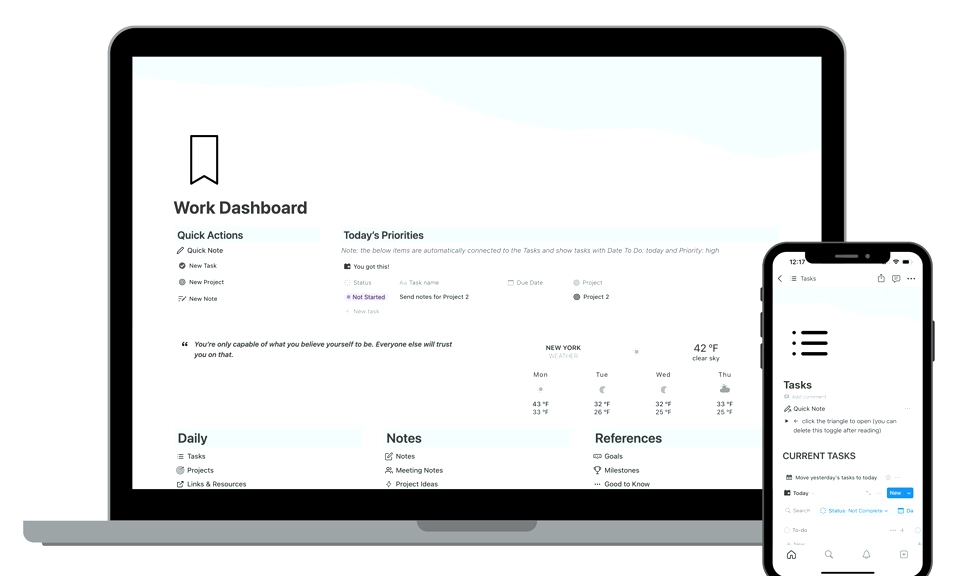
Notion’s defining innovation is its block system. Every piece of content—a paragraph, a heading, a table, an image, a toggle, a callout—is a movable block. Blocks compose into pages, pages nest inside pages, and databases link pages together with filters, sorts, and views. This means you can build almost anything without code, from a simple journal to a company-wide wiki.
The database system is where Notion separates itself from every other note-taking app. A single database can be displayed as a table, a board, a calendar, a timeline, a gallery, or a list, all drawing from the same underlying data. A freelancer can use one database for all their projects, with a board view for active work, a calendar view for deadlines, and a table view for invoicing—without duplicating a single entry. For anyone who needs to see the same information from multiple angles, this is transformative.
The template ecosystem is another major advantage. The community has published thousands of free and paid templates covering project management, habit tracking, content calendars, CRMs, and reading logs. New users can start with a template and customize rather than building from scratch, which significantly lowers the barrier to entry for a tool that otherwise presents a blank canvas.
The free plan is also genuinely usable for personal use. It includes unlimited pages and blocks, sharing with up to 10 guests, and a 7-day version history. The main limitations are a 5MB file upload cap and a 1,000-block limit for workspaces with more than one member. For a solo user, those limits are unlikely to be a problem. For a small team, they are hit quickly.
The AI Question: Agents That Act, Not Just Assist
Notion’s AI story in 2026 is more substantial than the “summarize this page” features of earlier generations. The headline is Notion Agents—autonomous agents that can create and edit pages and databases, run on schedules or triggers across Notion, Slack, Mail, and Calendar, and work on a single task for up to 24 hours. The Agents can also connect outward to more than 150 tools including Linear, Figma, and HubSpot via MCP, and a hosted Notion MCP server allows external AI clients like Claude Code and Cursor to interact with a Notion workspace.
This is a different kind of AI than most note-taking apps offer. It is not a writing assistant bolted onto a text editor. It is a workflow automation layer that can act on the structured data you have built inside Notion. For teams that have invested in a Notion workspace, this is a meaningful capability.
The critical caveat is access and cost. Notion AI is not available on the Free or Plus plans beyond a limited trial. The Business plan at $20 per member per month** (billed annually) includes Notion Agent, Custom Agents, AI Meeting Notes, and Enterprise Search, with **1,500 Standard and 500 Select AI credits per member each month**. Heavy Custom Agent use requires buying additional credits, and admin spending limits are still listed as “coming soon”. For individual users, the AI is an optional add-on at **$10 per member per month—a meaningful cost on top of an already paid plan.
The AI is also not a replacement for a standalone assistant like ChatGPT or Gemini. It is deeply integrated into Notion’s structured data, which makes it powerful for workspace Q&A and automation. But its generative writing is competent rather than exceptional, and its value is proportional to how much of your work already lives inside Notion.
The Persistent Weaknesses: Offline, Mobile, and the Cost of Flexibility
Notion’s limitations are not new, but they remain significant in 2026.
Offline mode is still unreliable. Notion has an offline mode, but it is inconsistent. Recently viewed pages are cached, but search, database queries, and new page creation may not work reliably without internet. Offline access often requires manually enabling the feature on specific pages before going offline, which means you have to anticipate your connectivity gaps in advance. Database access offline is capped at 50 rows with no way to force a full download. For anyone who works on planes, in rural areas, or with inconsistent Wi-Fi, Obsidian or Apple Notes is a more reliable choice.
The mobile app is functional but frustrating. Users consistently report that the mobile experience is slower and less intuitive than the desktop version, with some features hidden behind multiple clicks. One reviewer noted that “navigation feels clunky compared to desktop” and that they mostly avoid using Notion on their phone. For a tool that is meant to be a “second brain,” the friction on mobile is a real limitation.
Performance can lag with large workspaces. Pages with many embedded databases or complex structures can feel slow, particularly in the browser. Notion is optimised for flexibility first and raw speed second, and it shows when you push the platform hard.
The learning curve is real. The same blank-canvas flexibility that makes Notion powerful also makes it intimidating. Building a workspace from scratch requires significant upfront time investment, and the freedom to structure things however you want can be paralyzing for users who prefer opinionated tools. The trade-off is genuine: you get exactly the system you build, but you have to build it.
There is no native time tracking, and the project management features are surface-level compared with dedicated tools. Notion can fake dependencies, resource allocation, and sprint planning with databases, but it lacks the depth of ClickUp, Asana, or Jira for serious project work. If your bottleneck is managing complex projects rather than organising information, Notion will frustrate you.
How It Compares: The 2026 Landscape
The note-taking and productivity market has not stood still, and Notion’s position is best understood in contrast to its closest competitors.
Against Obsidian, the choice is philosophical. Obsidian is local-first, storing everything as plain Markdown files on your device. It offers complete data ownership, a graph view for linked thinking, and a plugin ecosystem that can replicate much of Notion’s functionality. It is faster, more reliable offline, and more private. But it requires more setup, has no native collaboration, and its interface is less polished. The 2026 consensus is clear: Notion is the best all-rounder for combining notes, projects, and team wikis; Obsidian is the power user’s darling for linked thinking and privacy.
Against Evernote, Notion wins on flexibility and database functionality, but Evernote still owns the quick-capture and search niche. Its web clipper and OCR are more mature, and it is faster for capturing a thought without deciding where it belongs.
Against ClickUp and Coda, the distinction is about depth versus breadth. ClickUp is stronger for project management (Gantt charts, sprints, workload views), and Coda is stronger for formula-heavy, app-like documents. Notion sits in the middle: broader than both in documentation and wikis, but shallower than ClickUp in project execution and shallower than Coda in computational logic.
Is Notion the Best App for Notes and Productivity?
For the right user, yes—with caveats. For everyone else, no—and that is okay.
Notion is the best choice if:
You want a single place for notes, documents, projects, and wikis, and you are willing to invest time in building a system that fits how you think.
You think in connections—linking notes to projects, projects to clients, clients to invoices—and you need a tool that can represent those relationships.
You are a freelancer, student, or small team that needs a flexible, shared knowledge base without the cost and complexity of enterprise tools like Confluence.
You are already using Notion AI or are willing to pay for it, and you want an AI layer that acts on your structured workspace data rather than just generating text.
Notion is not the best choice if:
You need reliable offline access. Obsidian or a local-first tool is a better fit.
You need serious project management with dependencies, resource allocation, and time tracking. ClickUp, Asana, or Jira will serve you better.
You want a fast, frictionless mobile experience for quick capture. Apple Notes or Evernote are more reliable for on-the-go input.
You prefer a tool with opinionated structure and a short learning curve. Notion’s blank canvas is a feature for some and a barrier for others.
Notion earns an 8.5 out of 10 for productivity in 2026. It is the best tool available for building a connected personal or team knowledge base. It is not the best tool for every productivity task, and it is not the best tool for every user. The question is not whether Notion is powerful—it is. The question is whether you are willing to do the work of building a system that harnesses that power. If you are, Notion will reward you. If you are not, there are simpler tools that will serve you better.