The productivity software market has undergone a fundamental shift. AI is no longer a feature bolted onto a traditional tool; it is the engine driving the entire workflow. The most effective tools in 2026 are not just helping you type faster or schedule a meeting—they are acting as autonomous agents that plan, research, and execute multi-step tasks while you focus on the work that actually requires a human brain.
But with hundreds of AI-powered apps flooding the market, separating genuine time-savers from overhyped distractions is harder than ever. To find the tools that deliver, I evaluated them against a simple standard: does it remove a recurring, time-consuming task from your plate entirely—or does it just make that task slightly faster? The following 10 tools passed that test. They are the ones that consistently turn hours of administrative overhead into minutes of oversight, and they are the ones worth building your workflow around in 2026.
1. Notion AI: The Workspace That Thinks With You
What it is: Notion has evolved from a note-taking app into a full workspace where AI agents act on your pages, databases, and project plans. The October 2026 update rebuilt Notion Agents so they can run autonomously for up to 24 hours on a single task, execute on schedules or triggers from Slack, Mail, and Calendar, and connect outward to more than 150 tools via MCP.
Why it saves time: The real shift is from asking AI to write something to asking AI to do something across your workspace. An agent can create a project plan, populate a database, draft a status report, and hand off follow-up tasks to another agent—all without manual prompting. For teams already living inside Notion, the AI layer turns the workspace into an active participant rather than a passive repository.
Pricing: Notion AI starts at $20 per member per month (billed annually) for the Business plan, which includes 1,500 Standard and 500 Select AI credits per member each month. Free and Plus plans include only a limited trial.
2. Motion: The AI That Rebuilds Your Calendar Every Day
What it is: Motion is an AI-driven task and project management platform that integrates with your calendar to automatically build and continuously reschedule an optimized daily plan. When priorities shift or new tasks arrive, Motion recalculates the entire schedule in real time, eliminating manual calendar management.
Why it saves time: The platform is designed for professionals who lose hours every week to the cognitive overhead of planning. Reviewers report recovering 50+ hours per month by letting Motion handle prioritization, meeting booking, and deadline tracking. It is particularly effective for users with ADHD or executive dysfunction, providing structure without the mental load of building it manually.
The caveat: Motion is expensive, and its support has been the subject of repeated complaints about billing disputes and unanswered tickets. It is a powerful tool, but it is not a low-risk experiment.
Pricing: Paid plans with a free trial; pricing is consistently described as steep, especially for solo users.
3. Reclaim.ai: The Calendar Defender
What it is: Reclaim is an AI calendar assistant that protects your focus time, habits, and breaks by scheduling them automatically around meetings and shifting priorities. It combines a full calendar, a Planner, and an AI Assistant that can schedule, reschedule, and find time for tasks based on rules you set.
Why it saves time: Reclaim’s strength is defense. It does not just fill your calendar; it guards the blocks that matter—deep work, exercise, lunch—and reschedules them when meetings encroach. It syncs natively with Todoist, Asana, ClickUp, Jira, Linear, and Google Tasks, so the tasks you already track become the raw material for a schedule that actually reflects your priorities.
The caveat: Calendar support is limited to Google Calendar and Microsoft Outlook, so teams on other systems cannot use Reclaim as their scheduling layer.
Pricing: A permanent free Lite plan with 5 AI Agents is available for individuals. Paid plans start at $10 per month (billed annually).
4. Gamma: Presentations in Minutes, Not Hours
What it is: Gamma is an AI-powered presentation, document, and website builder that turns a prompt, an outline, or an imported file into a polished, editable deck. The Gamma 5 release in October 2026 rebuilt the editor and expanded the template library to thousands of human-designed options, specifically to combat the “AI smell” of repetitive layouts and generic imagery.
Why it saves time: Gamma reports that users have reduced presentation creation from 8–10 hours to about 30 minutes, largely by eliminating the formatting grind. It supports over 20 AI models, imports PowerPoint and PDFs with over 97% visual accuracy, and can connect to Slack, Fireflies, and other tools to pull in internal context. For anyone who builds decks regularly, the time savings are immediate and substantial.
Pricing: Free plan available, with paid tiers for advanced features and higher usage limits.
5. Otter.ai: The Meeting Agent That Does the Follow-Up
What it is: Otter.ai is an AI meeting agent that joins Zoom, Microsoft Teams, and Google Meet calls automatically, producing live transcripts, summaries, and action items. It has expanded beyond note-taking into Pre-Meeting Briefs (compiled from prior meetings) and Live Assist during calls, and its MCP server is included on every plan—including the free tier—so assistants like Claude and ChatGPT can search your meeting history.
Why it saves time: The value is in the aftermath. Otter eliminates the manual work of writing up notes, extracting action items, and syncing them to a CRM. Its SDR and Recruiting agents extend the same automation to lead qualification and hiring workflows, and CRM sync for Salesforce, HubSpot, and Microsoft Dynamics is available on higher tiers.
The caveat: The free Basic plan includes 300 transcription minutes per month and 3 lifetime file imports; Pro caps meetings at 90 minutes. Frequent or long meetings require Business or above.
Pricing: Free plan available; paid plans start at $8.33 per month (billed annually).
6. Perplexity: The Research Agent That Never Stops
What it is: Perplexity has moved beyond search into Perplexity Computer, an independent digital worker for Enterprise users that synthesizes information across the web and your organization’s tools, then executes multi-step workflows on your behalf. It can monitor email, calendars, and flight status; run parallel web searches; generate documents and presentations; and send follow-ups—all in the background.
Why it saves time: The Teammates feature, launched in November 2026, creates persistent AI agents that take ownership of ongoing work rather than waiting for a prompt each session. They can plan tasks, coordinate with other agents, and remember your work history, making them genuinely useful for complex, multi-week projects. A single prompt can trigger research → analysis → document creation → email delivery → scheduled follow-up.
Pricing: Perplexity Max subscription required for Teammates; Enterprise plans for Computer.
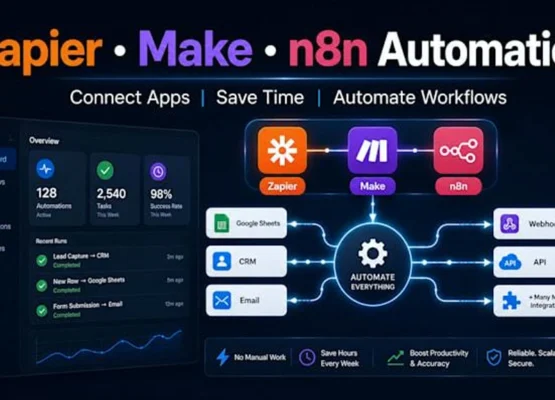
7. Zapier: The Automation Layer That Connects Everything
What it is: Zapier connects 9,000+ apps through no-code workflows, and its Copilot feature lets you describe a workflow in plain language and have Zapier build the trigger and actions for you. The Zapier MCP lets AI tools like Claude, ChatGPT, and Cursor act across those connected apps with credentials managed by Zapier and granular permissions—included on every plan.
Why it saves time: Zapier is the glue that makes the other tools on this list work together. It handles the repetitive cross-app tasks—moving files, tagging messages, sending reminders, syncing data—that consume minutes but add up to hours. The AI-powered AI by Zapier steps can classify or summarize data along the way, turning a simple automation into a lightweight intelligent workflow.
Pricing: Free tier available; paid plans start at $19.99 per month.
8. Grammarly: The Writing Agent That Protects Your Voice
What it is: Grammarly is no longer just a grammar checker. Its AI Rewriter agent provides a transparent view of AI detection and suggests which phrases to revise, while the Authenticity Suite brings together AI Detector, Plagiarism Checker, Citation Finder, and Authorship tools to support the full writing journey from drafting to submission.
Why it saves time: The tool’s real value is confidence. For anyone who writes professionally—emails, reports, proposals—Grammarly reduces the revision cycle by catching clarity, tone, and originality issues before they reach a reader. The AI detection and rewriting features are particularly useful for academics and content creators who need to maintain a human voice while using AI assistance.
Pricing: Free tier available; Pro and Business plans for advanced AI features and team controls.
9. ClickUp Brain: Project Management With an AI Coworker
What it is: ClickUp’s Brain2 platform, launched in June 2026, rebuilds the company’s AI assistant into an agentic coworker that can generate finished slide decks, dashboards, and working apps from a single prompt. It uses workspace context to understand your projects and can be mentioned with @ in tasks to take action directly.
Why it saves time: Brain2 turns project management from a manual tracking exercise into an active collaboration. It can search across your workspace and connected apps, build reports, and execute multi-step tasks without leaving the project view. For teams already using ClickUp, it eliminates the context-switching between the project tool and a separate AI assistant.
The caveat: AI is sold as an add-on on top of a paid ClickUp plan, starting at $9 per user per month (billed annually).
10. Mem: The Notes App That Remembers for You
What it is: Mem is an AI notes app that captures ideas, meetings, and research, then automatically organizes and resurfaces them when you need them. It transcribes voice notes into searchable text, detects tasks and projects from your notes, and provides a Mem Chat interface for querying your entire knowledge base.
Why it saves time: The bottleneck in knowledge work is not capture—it is retrieval. Mem eliminates the manual filing and searching that consumes hours by automatically connecting notes to projects and surfacing relevant context before meetings. Its AI notes for advisors and board members, for example, can summarize all interactions with a company over a quarter, including concerns raised and strategic decisions discussed, in a single query.
Pricing: Free tier available; paid plans for advanced AI features.
Build a Stack, Not a Collection
The 10 tools above are not meant to be used in isolation. The real productivity gains come from stacking them: Zapier connects the apps, Reclaim defends the time, Motion prioritizes the work, Otter captures the meetings, Gamma builds the deliverables, and Notion or Mem holds the knowledge. Each tool removes a specific layer of friction, and together they form a system that handles the administrative overhead that used to consume your day.
The most important lesson from the 2026 landscape is that AI is no longer a feature you add to your workflow—it is the workflow. The tools that win are the ones that act autonomously, remember context, and execute multi-step tasks without waiting for a prompt. Start with one that solves your most persistent time drain, then add the next. The hours you reclaim are not a bonus. They are the point.