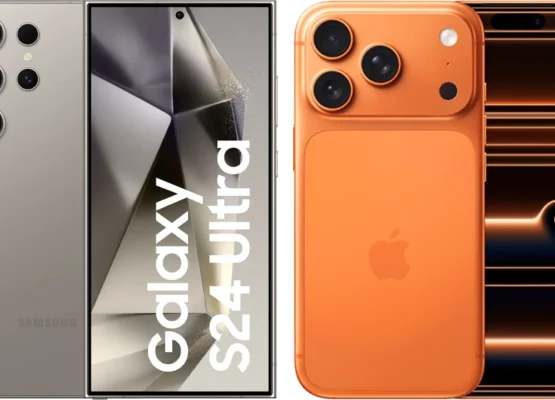
⏱️ The 10-Second Spot Test
Look at these 3 things to instantly tell them apart:
| Feature | OLED | IPS |
|---|---|---|
| 🌑 Blacks | Perfect, inky blacks (pixels turn off) | Grayish blacks (backlight bleeds through) |
| 👀 Viewing Angles | Stays vibrant from any angle | Colors wash out at extreme angles |
| 💡 Brightness | Struggles in bright rooms (lower peak brightness) | Brighter in well-lit rooms (higher peak brightness) |
💡 Pro Tip: Turn off the lights and look for true blacks—if the dark areas look deep and infinite, it’s OLED. If they look slightly gray or glowing, it’s IPS.
🔍 Deep Dive: Key Differences
1. 🖤 Contrast & Black Levels
OLED:
- Self-emissive pixels (each pixel turns on/off individually).
- Infinite contrast ratio (1,000,000:1 or higher).
- Perfect blacks (no backlight = no light bleed).
- Best for: Dark room viewing, movies, HDR content.
IPS:
- Uses a backlight (even black pixels have some light bleed).
- Contrast ratio ~1,000:1 (good, but not great).
- Grayish blacks in dark scenes.
- Best for: Bright rooms, general computing, gaming (non-HDR).
🏆 Winner: OLED (for contrast and blacks).
2. 👁️ Viewing Angles
OLED:
- Near-perfect viewing angles (colors and contrast stay consistent from any angle).
- Great for: Group viewing, wide-angle setups.
IPS:
- Colors shift and wash out when viewed from the side (especially at extreme angles).
- Gamma shift (image gets darker/brighter at angles).
- Best for: Single-user setups, office work.
🏆 Winner: OLED (for viewing angles).
3. 🎨 Color Accuracy
OLED:
- Superior color accuracy (especially in dark scenes).
- Wider color gamut (often 100% DCI-P3).
- More vibrant and realistic colors in HDR.
IPS:
- Good color accuracy (especially in sRGB mode).
- Can oversaturate colors in some modes (e.g., “Vivid” presets).
- Better for: Photo editing, graphic design (when calibrated properly).
🏆 Winner: OLED (for HDR and movies), IPS (for sRGB accuracy in professional work).
4. ⚡ Response Time
OLED:
- Near-instantaneous response time (~0.1ms).
- No motion blur (great for fast-paced games and action movies).
IPS:
- Response time ~4–5ms (good, but can have ghosting in fast scenes).
- Overdrive artifacts (some IPS panels show inverse ghosting).
🏆 Winner: OLED (for gaming and action).
5. ☀️ Brightness
OLED:
- Peak brightness ~800–1,000 nits (struggles in bright rooms).
- ABL (Auto Brightness Limiting): Brightness drops in large white scenes to prevent burn-in.
IPS:
- Peak brightness ~350–600 nits (brighter in general use).
- No ABL issues (consistent brightness).
- Best for: Office work, well-lit rooms.
🏆 Winner: IPS (for brightness in lit environments).
6. 🔥 Burn-In Risk
OLED:
- Permanent burn-in risk (static images like logos, taskbars, or HUD elements can leave permanent marks).
- Mitigation: Pixel refresh, screen shift, logo dimming help, but not foolproof.
IPS:
- No burn-in risk (backlight doesn’t degrade individual pixels).
- Best for: Static content (news tickers, desktop icons, gaming HUDs).
🏆 Winner: IPS (for longevity with static content).
7. 💰 Price
OLED:
- More expensive (especially in larger sizes).
- Example: A 55″ OLED TV starts at $800–$1,200, while a 55″ IPS TV can be $400–$800.
IPS:
- More affordable (especially in mid-range and budget models).
- Best for: Budget-conscious buyers, office monitors.
🏆 Winner: IPS (for affordability).
8. ⚡ Power Consumption
OLED:
- Lower power consumption when displaying dark scenes (pixels turn off).
- Higher power consumption in bright scenes (all pixels lit).
IPS:
- Consistent power consumption (backlight is always on).
- More power-hungry in general use.
🏆 Winner: OLED (for dark content), IPS (for consistent use).
🎯 Which One Should You Choose?
🖤 Pick OLED if you:
✅ Watch movies/TV in a dark room (perfect blacks, infinite contrast).
✅ Love HDR content (vibrant colors, deep blacks).
✅ Play fast-paced games (near-instant response time).
✅ Prioritize viewing angles (great for group viewing).
✅ Don’t mind the risk of burn-in (or take precautions).
💡 Pick IPS if you:
✅ Work in a bright office (brighter, no burn-in).
✅ Need a budget-friendly option (more affordable).
✅ Do graphic design/photo editing (better sRGB accuracy when calibrated).
✅ Display static content (no burn-in risk).
✅ Prefer consistency over perfect blacks (no ABL or brightness fluctuations).
📊 Quick Reference Table
| Feature | OLED | IPS | Winner |
|---|---|---|---|
| Black Levels | Perfect, inky blacks | Grayish blacks | OLED |
| Contrast Ratio | Infinite (1,000,000:1+) | ~1,000:1 | OLED |
| Viewing Angles | Near-perfect | Colors wash out at angles | OLED |
| Color Accuracy | Superior (HDR, wide gamut) | Good (sRGB) | OLED |
| Response Time | ~0.1ms (instantaneous) | ~4–5ms | OLED |
| Brightness | 800–1,000 nits (ABL issues) | 350–600 nits (consistent) | IPS |
| Burn-In Risk | Yes (permanent) | No | IPS |
| Price | More expensive | More affordable | IPS |
| Power Use | Low in dark scenes, high in bright | Consistent | Tie |
| Best For | Movies, gaming, dark rooms | Office, bright rooms, budget | Depends |
🎬 OLED vs. IPS in 10 Seconds or Less
- Turn off the lights → If the screen has true blacks, it’s OLED.
- Look at the sides → If colors stay vibrant from any angle, it’s OLED. If they wash out, it’s IPS.
- Check the brightness → If it’s struggling in a bright room, it’s OLED. If it’s bright and consistent, it’s IPS.
💡 Bottom Line:
- OLED = Best for movies, HDR, and dark rooms (but watch out for burn-in).
- IPS = Best for offices, bright rooms, and budgets (but sacrifice perfect blacks).