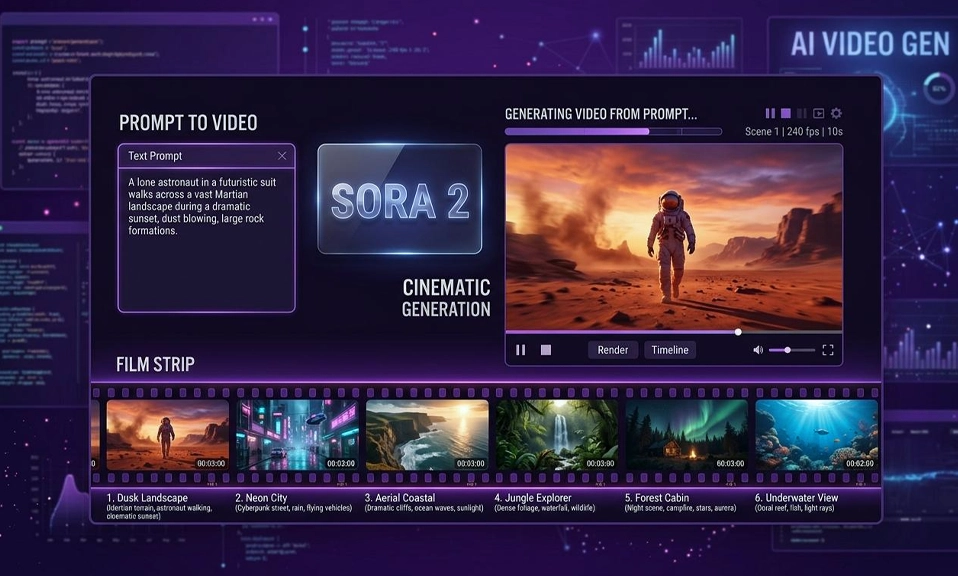
The AI video landscape in 2026 has a new rule: the tool you choose matters less than the job you need it to do. The era of glitchy, six-second clips is over. In 2026, the best text-to-video generators produce near-cinematic output with synchronized dialogue, sound effects, and ambient audio—often in a single pass. But something else happened on the way to production-ready: OpenAI’s Sora, the tool that defined the category, is gone. The Sora app shut down in April 2026, and API access ended in September. That leaves a market split among a handful of powerful, specialized models, each with a distinct strength. Here are the best new AI video generators in 2026, and what each one is actually built to do.
🎬 Google Veo 3.1 (and Gemini Omni Flash): The Cinematic Realist
Best for: Native audio, cinematic finish, and consistent characters.
Veo is the model most other tools are judged against. Its defining feature is native audio generation—dialogue, ambient sound, and sound effects are generated in sync with the picture, not dubbed on afterward. That means a clip with a line of dialogue or a door slamming on the cut is a single generation, not a three-step pipeline. Google’s “Ingredients to Video” feature lets you upload multiple reference images to keep a character consistent across shots, solving one of the biggest headaches in AI video. Veo 3.1 also supports vertical video and 4K upscaling.
The catch: Clips are short (6–8 seconds), and the price per clip is higher than some competitors. But for marketing, branding, and any project where audio and visual fidelity matter, Veo is the benchmark. It is accessible through the Gemini app and API, and it has been integrated into Adobe Firefly’s video editor.
🎥 ByteDance Seedance 2.0: The Director’s Tool
Best for: Cinematic quality and granular control over the scene.
Seedance 2.0, released in February 2026, does not just ask for a text prompt—it asks you to be a director. You can upload up to 12 different files (images for style, videos for motion, audio for rhythm) and the model blends them into a cohesive scene that understands physics, lighting, and complex movement. It has become the default destination for former Sora users who need commercial-grade output, and it is particularly good at complex motions like fabric swaying in the wind or light reflecting off moving water.
The catch: Availability is not consistent across regions, and pricing has not fully settled. But for creators who want to direct a scene rather than simply prompt one, Seedance is currently the most capable tool on the market.
🎞️ Runway Gen-4 / Gen-4.5: The Editor’s Platform
Best for: Camera control, editing workflow, and a one-bill production pipeline.
Runway remains the benchmark for camera manipulation—panning, tilting, and zooming with an accuracy few others can replicate. The Multi-Motion Brush lets you animate specific areas of a photograph individually, giving filmmakers and VFX artists a level of control that feels closer to traditional compositing than to prompt-and-pray generation. Its Gen-4.5 model produces clips up to 60 seconds in 4K, and the platform now resells rivals’ models—Veo, Kling, Seedance, and Wan—inside the same API, making it a single-bill workflow for professional teams.
The catch: The free tier is limited to 125 one-time credits—enough for two or three test videos. Runway rewards users who can direct, judge, and polish AI video; it is not a magic button for beginners.
⏱️ Kling 4.0: The Long-Clip Storyteller
Best for: Multi-shot scenes, realistic human faces, and longer narratives.
Kuaishou’s Kling has carved out a reputation for realistic human faces and storytelling. Version 4.0, launched in October 2026, supports clips up to 30 seconds, up to 10 keyframes, and 4K output—making it the best subscription option for creators who need longer, multi-shot sequences from a single generation. Lip-syncing is strong enough that dialogue does not feel like an add-on.
The catch: The interface is complex, and the free version is limited to non-commercial usage. For narrative work and realistic human interaction, however, Kling is a top-tier choice.
🌄 Luma Dream Machine (Ray3): The Transition Specialist
Best for: Smooth transitions, keyframe interpolation, and quick B-roll.
Luma’s strength is its keyframe feature: set a start image and an end image, and the model interpolates a smooth, cinematic transition between them. Combined with one of the most polished, least intimidating interfaces on this list, it is a solid pick for social content, quick B-roll, and any project where the goal is a seamless visual bridge rather than a complex narrative.
The catch: It is not the tool for people, dialogue, or structured storytelling. Luma is a specialist for motion and transition, not a general-purpose video generator.
💰 Wan 3.0: The Value and Self-Hosting Option
Best for: Low-cost generation and running the model on your own hardware.
Alibaba’s Wan 3.0 is the budget-friendly option that does not feel like a compromise. It is listed at $0.05 per second at 480p** and **$0.20 at 1080p, making it the lowest per-second cost among the major models. More importantly, it is the only model on this list that is self-hostable—you can run it on your own hardware, which is a significant advantage for teams with data sovereignty requirements or high-volume workflows. It is also strong at steerable motion, giving you control over pose, depth, and inpainting.
The catch: Wan is not the cinematic finish leader—Veo and Seedance still produce more polished output out of the box. But for iteration, volume, and cost-sensitive production, it is unmatched.
🎨 Adobe Firefly: The Commercial Safe Harbor
Best for: Commercial projects and integration with Adobe’s ecosystem.
Adobe Firefly is the most commercially safe option, trained on licensed content and designed for enterprise use. It has integrated Google’s Veo models directly into its video editor, and it offers a full suite of creative tools—generative fill, text effects, and video editing—inside the Creative Cloud ecosystem. For teams already using Adobe products, it is the most seamless path from prompt to polished deliverable.
The catch: Firefly is not the raw performance leader. It is a platform play—its value is in integration, safety, and workflow, not in having the single most capable model.
🔍 Other Notable Mentions
PixVerse V6 punches above its weight for multi-shot generation, native audio, and repeatable testing—useful for iterating on a concept. HeyGen Video 1.0 makes 5–15 second clips from a prompt or a start frame, with dialogue, ambience, and effects in the same pass, and it is particularly strong for avatar-driven content. LTX-2.3 Pro from Lightricks is a silent-video specialist with a 4K-token context window, ideal for cinematic B-roll and commercials that do not need audio. Flux 3 from Black Forest Labs generates 5–20 second clips with optional synchronized audio from text, an image, or an existing clip, and it is still in early access.
💎Pick by Job, Not by Leaderboard
The most important lesson from the 2026 landscape is that there is no single best AI video generator. There is a best one for the shot in front of you.
Choose Google Veo 3.1 if you need native audio, cinematic realism, and character consistency for marketing or branded content.
Choose Seedance 2.0 if you want director-level control over motion, style, and physics for high-end cinematic work.
Choose Runway if you are a professional editor who needs camera control, a multi-model workflow, and a platform that fits into a production pipeline.
Choose Kling 4.0 if your project needs longer, multi-shot clips with realistic human faces and dialogue.
Choose Luma if you need smooth transitions and quick B-roll without a steep learning curve.
Choose Wan 3.0 if cost, self-hosting, or data sovereignty is your priority.
Choose Adobe Firefly if commercial safety and Adobe integration matter most.
The Sora era is over. What replaced it is a market of specialists—each one excellent at a specific job, and each one waiting for you to know which job you need done.