Be honest with me for a second.
How many videos do you have sitting in your camera roll right now, unedited, because editing feels like too much work?
We all have that folder. The “I’ll edit it later” folder. The one that never gets edited.
CapCut is the reason that folder is finally getting smaller. It is the app that turned editing from a 2-hour chore into a 10-minute job, and it did it for free.
But in 2026, CapCut changed. Prices went up. Pro features got locked. New competitors showed up. And suddenly everyone is asking the same question:
Is CapCut still the best video editing app for creators, or are we just used to it?
I spent weeks editing with it like a real creator would. Shorts, Reels, TikToks, talking-head videos, vlogs. Here is the honest review.
The Quick Verdict
If you make short-form video for TikTok, Reels, or YouTube Shorts, yes, CapCut is still the best app for you. It is the fastest path from raw clips to a captioned, trending, ready-to-post video.
If you make long-form YouTube videos, documentaries, or client work that needs cinema-grade color, no, it is not the best. You will outgrow it.
Here is the rule that has held up all year: Use CapCut for free, fast, phone-first social clips; DaVinci Resolve if you want the most powerful free editor and color tools worth learning; Premiere Pro if you work in the Adobe ecosystem or edit professionally with a team.
Now, let’s get into why.
What CapCut Actually Is in 2026
CapCut is ByteDance’s free, AI-driven video editor available on mobile, desktop, and web, purpose-built for short-form social content.
It is not a toy anymore. By April 2026, CapCut had surpassed 800 million monthly active users worldwide, and it is the No. 1 video editing app globally, with over 800 million monthly active users and 81% of the mobile video editing market.
That is not a fluke. That is because it solved the one problem every creator has: speed.
What It Does Brilliantly
1. Templates Are Its Secret Weapon
This is the feature no other editor can copy.
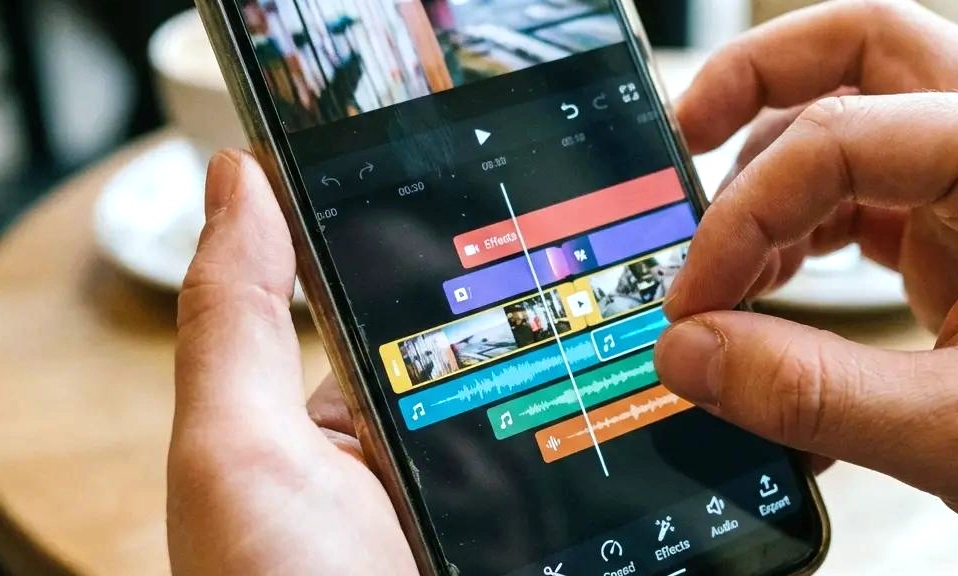
The template ecosystem is CapCut’s secret weapon. Thousands of creator-made templates let you drop in your own clips and get a fully styled video in seconds, transitions, effects, music, and captions included.
You pick a trending template, swap in your clips, and CapCut applies the cuts, effects, and timing for you. You go from idea to posted video in under five minutes. For a creator posting daily, that is not a nice feature. That is survival.
2. Auto-Captions That Actually Work
One-click captions in multiple languages, with animated styles that match current short-form trends.
In 2026, captions are not optional. Most people watch on mute. CapCut knows this, and its captions are still the best in the game: fast, accurate, and styled to look like the videos that are actually going viral right now.
It also has auto background removal with no green screen, auto-reframe for different aspect ratios, noise reduction, and AI-generated effects. You get a huge library of templates and effects, auto captions, filler-word removal on desktop, a long-video-to-shorts tool, and AI tools such as AI sound effects and eye contact in the mobile app.
3. The Free Tier Is Shockingly Good
CapCut is still free in 2026. The free plan includes the full core editing toolkit, trim, split, multi-track timeline, keyframes, chroma key, speed ramping, filters, text, 1080p export on desktop, a large free template and effect and music library, basic text-to-speech, and auto captions with per-project limits.
Let me say that again: the full editor is free. You can make a complete, professional-looking Short without paying a cent. That is why every beginner starts here.
What Changed, And Why People Are Mad
Here is where the review gets honest.
Pro pricing roughly doubled in 2026, from about $9.99 to $19.99 a month. Pro jumped sharply in early 2026 to $19.99 a month, or $179.99 a year. Pro adds 4K/HDR export, premium templates without a watermark, about 1,200 AI credits a month and about 1 TB of cloud storage.
That price jump hurt. A lot of creators woke up one morning to find features they used for free were now behind Pro. Auto Reframe, for example, moved to Pro on April 3, 2026 on all surfaces. Basic crop and zoom stay free, but the smart stuff costs now.
And here is the watermark trap you need to know: Free gives you the full editor, but Pro-tagged assets watermark your export. Paying for Pro only removes the cosmetic template watermark, it does not change the per-asset rule for commercial use. You still need to check licenses if you are using it for client work or ads.
So is Pro worth it?
Pricing in 2026: Who Should Pay?
Here is the simple breakdown, based on US pricing as of October 2026:
Free – $0: Perfect if you make 2-3 Shorts a week, use free templates only, and export in 1080p. This is 80% of creators. Start here.
Pro – $19.99/mo or $179.99/yr: Worth it if you need 4K/HDR export, premium templates without a watermark, about 1,200 AI credits a month and about 1 TB of cloud storage. If you post daily, run a brand account, or need 4K, this pays for itself in one day of saved time.
Ultra – $79/mo: This is new. It is for heavy AI video generation. Most creators do NOT need this. Unless you are generating AI video every day, skip it.
Teams – from $12.49/mo per seat: Worth it only if you have a team editing together and need shared cloud projects.
My honest take: Start free. Stay free until you hit a wall. When you find yourself saying “I wish I could export this in 4K” or “I keep running out of captions” three days in a row, then upgrade to Pro. Do not upgrade because you feel guilty for using the free version.
CapCut vs The Competition
CapCut vs DaVinci Resolve: DaVinci Resolve wins for long-form YouTube creators willing to climb a steeper learning curve in exchange for cinema-grade color and audio without a monthly fee. CapCut wins for speed. If you have 2 hours to edit a 10-minute video, use DaVinci. If you have 10 minutes to edit a 30-second video, use CapCut.
CapCut vs Premiere Pro: Premiere Pro wins for professional and team workflows, with professional-level colour grading and full Creative Cloud integration. But it costs $22.99 a month, has a learning curve, and is overkill for a TikTok. CapCut is faster for social, Premiere is stronger for client work.
CapCut vs VN / Instagram Edits: VN is the best watermark-free phone editor if you want simple and clean. Instagram Edits is great if you only post to Instagram. CapCut is better if you edit on a computer or post across TikTok, YouTube and Instagram, because it runs on phone, desktop and web with deeper effects and templates.
What CapCut Is NOT Good At
A real review has to say this too.
1. Color grading is basic. You get filters, not real color tools. If you care about cinematic color, you will feel limited fast.
2. Long-form editing gets messy. The timeline is great for 60 seconds. For a 20-minute vlog with multicam, B-roll, and complex audio, it gets frustrating.
3. The privacy question is real. CapCut’s terms, updated April 15, 2026, grant it a perpetual, sub-licensable license to your content. That is standard for a lot of social apps, but if you are editing sensitive client work, you should read the terms and decide if you are comfortable.
4. AI credits do not roll over. Paid-plan AI credits do not roll over, so test them on a real project. If you do not use your 1,200 credits this month, you lose them.
So, Is It Still The Best?
For short-form creators in 2026, yes. Still the best.
No other app gives you a full editor, trending templates, auto-captions, background removal, text-to-speech, and direct export to TikTok for free. No other app lets a beginner go from “I have no idea how to edit” to “I just posted my first viral video” in one afternoon.
It is not the best for everything. It was never meant to be. It is the best for starting and for posting fast.
The creators who win in 2026 are not the ones with the most expensive editor. They are the ones who post consistently. And CapCut is still the app that makes consistency possible.
So if your camera roll is full of unedited videos, download it. Start free. Use a template. Post one today. Your future self will thank you.