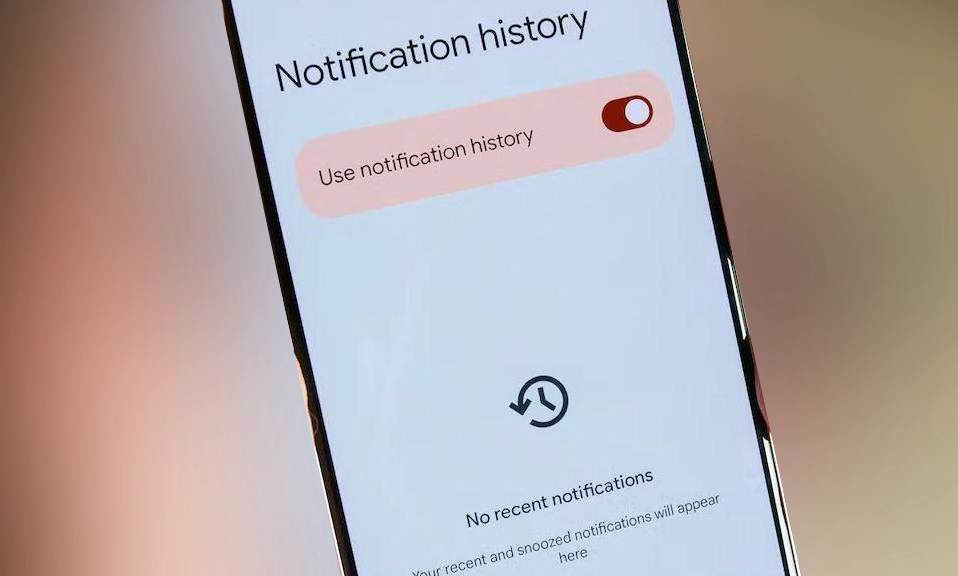
It’s a scenario that plays out countless times a day: your phone buzzes, you glance at the notification, and then—with a careless swipe—it’s gone. If it was an important message from WhatsApp, the panic sets in. But before you resign yourself to not knowing what it said, there’s a hidden Android feature that can act as your personal notification undo button.
The trick is called Notification History, and it’s a built-in log that keeps a record of alerts you’ve received and dismissed. While it’s been around since Android 11, it’s not enabled by default and is buried deep within the settings menu, which is why most people don’t know it exists. Once activated, it can help you recover a message you accidentally swiped away and even let you read a WhatsApp message that the sender has already deleted for everyone.
How to Activate Notification History on Your Android
The exact steps can vary slightly depending on your phone’s manufacturer, but the general path is the same. Here’s how to turn it on for most devices.
On most Android phones (Google, Motorola, etc.):
Open the Settings app on your phone.
Tap on Notifications.
Look for an option called Notification history (you may need to tap Advanced settings first to find it).
Toggle the switch to On or tap Use notification history.
On Samsung Galaxy phones:
Open Settings.
Tap Notifications.
Tap Advanced settings.
Tap Notification history.
Toggle the switch to On.
If you’re having trouble finding the menu, you can also use the search bar at the top of the Settings app and type “notification history” to jump straight to it.
What You Can (and Can’t) Recover
It’s important to understand the limits of this feature before you rely on it. Notification History is a log of what was in the alert, not a full backup of the message itself.
What you can see: You can read the text preview of a WhatsApp message, which is usually the first two to three lines. The feature also logs notifications from other apps like Instagram and Messenger, which is handy if someone sends you a message and quickly unsends it.
The 24-hour rule: The history only keeps notifications for the past 24 hours. After that, they are cleared from the log.
It’s not retroactive: The feature only starts logging notifications from the moment you enable it. It cannot recover alerts that you received before you turned the setting on.
Muted chats are invisible: If you have muted a WhatsApp chat, your phone won’t generate a notification for new messages, so nothing will appear in the history.
Media is missing: You won’t be able to recover deleted photos, videos, or voice messages. You will only see that a media file was sent, not the file itself.
The Third-Party App Alternative
If you need a more robust solution—one that can save notifications for longer than 24 hours or capture messages from muted chats—there are third-party apps on the Google Play Store designed for this purpose. Apps like NotiSaver, Notification History Log, and Notisave work by running in the background and saving a copy of every notification you receive.
However, be aware that these apps require extensive permissions to access your notifications and storage, which raises legitimate privacy concerns. If you go this route, be sure to read the app’s privacy policy carefully and download only from reputable developers.
Accidentally swiping away
a WhatsApp notification is no longer a lost cause. By taking thirty seconds to enable Android’s built-in Notification History feature, you can create a safety net for your digital conversations. It won’t recover everything, and it won’t work if the message was never delivered as a notification, but for those times when you just need to see what that mysterious buzz was about, it’s an indispensable tool.