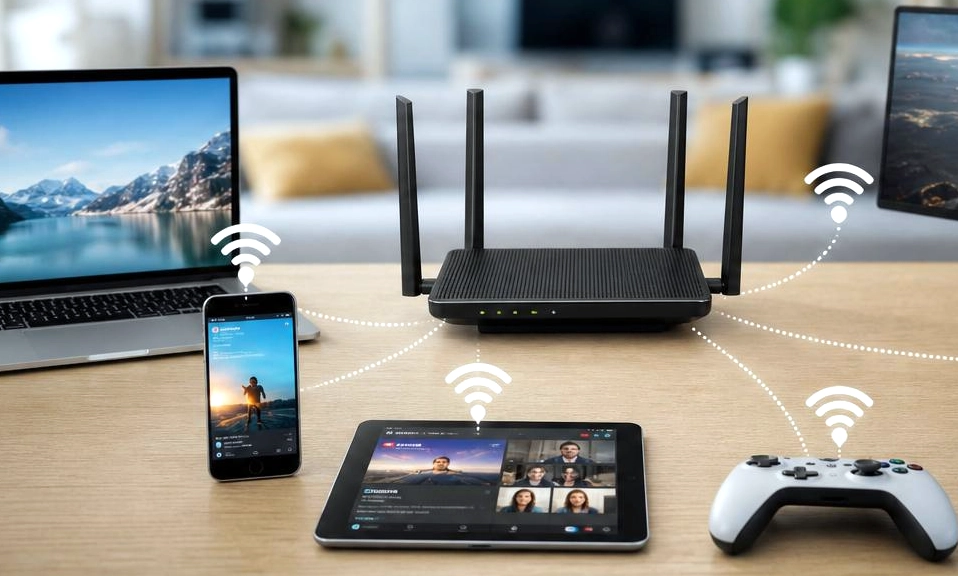
We’ve all been there. You’re in the middle of a crucial work video call, streaming the season finale of your favorite show, or trying to clutch a victory in your favorite online game. Suddenly, the video freezes. The audio stutters. The dreaded “spinning wheel of death” appears.
Before you call your Internet Service Provider (ISP) to complain or shell out for a more expensive monthly plan, take a deep breath. Most of the time, the bottleneck isn’t your internet plan—it’s what’s happening inside your home.
The good news? You don’t need an IT degree to fix it. Here are 10 simple, proven ways to squeeze every drop of speed and stability out of your home network, starting with free tweaks you can do right now.
📍 1. Relocate Your Router (The “Goldilocks” Spot)
Wi-Fi signals are radio waves, and they are easily blocked by physical obstacles. If your router is shoved inside a closed TV cabinet, sitting on the floor, or hiding behind a massive metal appliance, it is suffocating.
- The Fix: Move your router to a central, elevated, and open location. A high shelf in the middle of your home gives the signal a clear path to broadcast outward and downward, penetrating walls much more effectively.
🔄 2. The Strategic Reboot (Clear the Cobwebs)
Your router is a tiny computer with a processor and RAM. Over weeks of continuous uptime, it can suffer from memory leaks, bloated DNS caches, and “zombie” connections from devices that disconnected improperly.
- The Fix: Unplug your router and modem from the wall. Wait a full 60 seconds to let the residual power drain. Plug them back in. This simple reset clears the cache and forces a fresh, optimized connection to your ISP. Do this once a month, or set up an automated schedule in your router’s app.
📶 3. Switch to the 5GHz (or 6GHz) Band
Most modern routers are dual-band or tri-band. The 2.4GHz band travels further and punches through walls better, but it is notoriously slow and crowded with interference from microwaves, baby monitors, and neighbors.
- The Fix: Connect your high-bandwidth devices (laptops, phones, smart TVs, gaming consoles) to the 5GHz (or 6GHz, if you have Wi-Fi 6E/7) network. It offers significantly faster speeds and much less interference, perfect for devices that are in the same room or adjacent rooms as the router.
🛣️ 4. Change Your Wi-Fi Channel
If you live in an apartment or a dense neighborhood, your router is likely fighting for airtime with dozens of other routers on the exact same frequency. This congestion causes packet loss and lag.
- The Fix: Log into your router’s admin panel and manually change the channel. For the 2.4GHz band, stick to channels 1, 6, or 11, as these are the only ones that do not overlap. For 5GHz, try a higher channel (like 36, 40, 149, or 153) to avoid neighborhood crowding.
🌐 5. Upgrade Your DNS Servers
When you type “youtube.com” into your browser, your router asks a DNS (Domain Name System) server to translate that name into an IP address. Your ISP’s default DNS servers are often slow, overloaded, and heavily monitored.
- The Fix: Change your router’s (or individual device’s) DNS settings to a free, lightning-fast public provider.
- Cloudflare:
1.1.1.1and1.0.0.1(Often the fastest and most privacy-focused). - Google:
8.8.8.8and8.8.4.4(Highly reliable).
- Cloudflare:
🔌 6. Hardwire Stationary Devices with Ethernet
Wi-Fi is incredibly convenient, but it will never be as fast, stable, or low-latency as a wired connection.
- The Fix: If you have a device that doesn’t move—like a desktop PC, a smart TV, or a gaming console—plug it directly into the router using a Cat6 Ethernet cable. This instantly frees up valuable Wi-Fi bandwidth for your phones and tablets, while giving the wired device a flawless connection.
🚦 7. Enable QoS (Quality of Service)
If your internet slows to a crawl every time someone else in the house starts downloading a massive game update or streaming 4K video, your router is choking on bandwidth allocation.
- The Fix: Log into your router’s settings and look for QoS or Traffic Prioritization. You can tell the router to give top priority to your work laptop or gaming console, ensuring that critical tasks get the bandwidth they need, even when the network is busy.
🛡️ 8. Kick Off the Bandwidth Freeloaders
If your neighbor figured out your Wi-Fi password, or if you have old devices constantly syncing in the background, your bandwidth is being divided.
- The Fix: Log into your router’s “Connected Devices” list. If you see unfamiliar devices, change your Wi-Fi password immediately to a strong, unique passphrase. Also, ensure your security protocol is set to WPA3 or WPA2-AES, and disable WPS, which is a known security vulnerability.
📱 9. Manage Background Data Hogs
Sometimes the internet isn’t slow; one specific device is just using all of it without you realizing.
- The Fix: Check your devices. Is a computer running a massive cloud backup? Is a game console downloading a 100GB update in the background? Is a smart TV trying to stream 4K content while another device is on a video call? Pause large downloads or schedule them for when you’re asleep to free up bandwidth.
📡 10. Upgrade Obsolete Hardware (The Hard Truth)
You can tweak every setting in the book, but software cannot fix obsolete hardware. If your router is more than 4 to 5 years old, it likely lacks the processor power, RAM, and antenna technology (like Wi-Fi 6 or Wi-Fi 7) to handle the demands of a modern smart home with dozens of connected devices.
- The Fix: If you’ve tried the first nine steps and your speeds are still bottlenecked, the most effective upgrade you can make is investing in a modern router or a Mesh Wi-Fi system. The performance leap is often staggering.
Small Tweaks, Massive Impact
You don’t need to be a network engineer to have a blazing-fast home internet connection. By methodically working through this checklist—starting with a simple reboot, optimizing your router’s location, and splitting your Wi-Fi bands—you can eliminate the vast majority of lag, buffering, and dropouts.
Stop tolerating a sluggish network. Take 20 minutes this weekend to tune up your router, and enjoy the peace of mind that comes with a rock-solid connection.