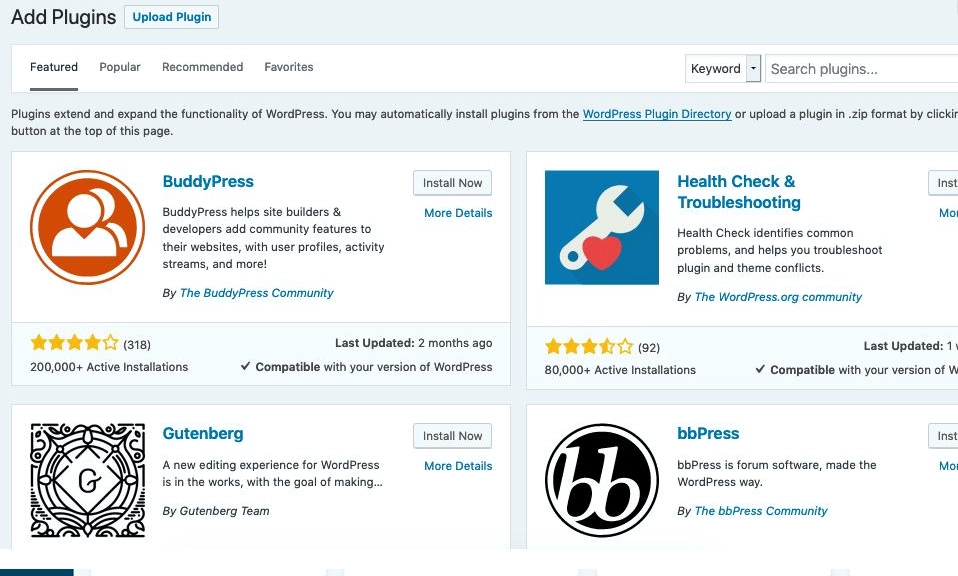
A good WordPress site does not need every popular plugin. It needs the right small set for its actual jobs: protecting the site, preserving recoverability, improving discoverability, collecting leads, delivering email, and measuring results. No site needs all ten plugins below. Select plugins by role, check compatibility with your host and theme, and avoid installing overlapping tools.
The recommendations below focus on what the free versions genuinely provide. “Free” does not always mean unlimited, and several plugins connect to paid services or reserve important features for a paid upgrade.
The ten-plugin shortlist
1. Wordfence Security — best all-in-one security baseline
What the free version does: Wordfence combines an endpoint Web Application Firewall with a security scanner that checks WordPress core, themes, and plugins for vulnerabilities, malware, backdoors, suspicious URLs, redirects, code injections, SEO spam, and file changes. It can compare repository files and help repair changed WordPress files or remove malicious files. The free edition also includes two-factor authentication, login CAPTCHA, compromised-password protection, XML-RPC controls, alerts, Live Traffic, manual blocking, and scheduled scans every three days.
Best use case: A typical self-hosted WordPress site that wants one maintained security layer covering firewall protection, login hardening, and integrity checks. It is also useful for administrators monitoring several sites through the free Wordfence Central service.
Key limitation: Free firewall rules and malware signatures arrive 30 days after Premium customers receive them; real-time IP blocklisting, country blocking, Premium support, and other advanced services are paid. Scans every three days may add load on limited hosting, and cleanup tools do not guarantee that a compromised site is clean. On NGINX, some .htaccess-dependent protections do not work, and the site must be able to reach Wordfence services over the internet. Wordfence recommends current WordPress and PHP 8.0 or newer even though its directory minimums are older.
2. UpdraftPlus — best free backup and restore foundation
What the free version does: UpdraftPlus creates manual backups of the database and files, schedules them independently at intervals ranging from four hours to monthly, lets you choose retention counts, and restores backups from its dashboard. Free remote destinations include Dropbox, Google Drive, Amazon S3 or compatible storage, Rackspace Cloud Files, FTP, DreamObjects, OpenStack Swift, and email delivery. It also supports a free backup-download/restore migration workflow with search-and-replace cleanup.
Best use case: Most small and medium WordPress sites that need an off-site recovery copy before updates, redesigns, or migrations. A backup is particularly valuable when paired with a staging site or a documented restore test.
Key limitation: Free migration is not a direct site-to-site connection: you download the source backup and upload/restore it at the destination. Free does not include incremental or automatic pre-update backups, age-based retention rules, one-click connected-site migration, multiple simultaneous destinations, WP-CLI management, or the full Multisite/network feature set. Remote storage, disk space, PHP limits, provider quotas, and restore testing all affect real-world reliability. Do not assume a scheduled backup is usable until you have successfully restored one.
3. LiteSpeed Cache — best for LiteSpeed-powered hosting
What the free version does: LiteSpeed Cache offers broad front-end optimization on any web server, including CSS, JavaScript, and HTML minification, asset combination, lazy loading, responsive image placeholders, deferred JavaScript, browser caching, database cleanup, DNS prefetch, Heartbeat controls, and WebP/AVIF-related optimization options. With eligible LiteSpeed infrastructure, OpenLiteSpeed, LiteSpeed WebADC, LiteSpeed-powered hosting, or the QUIC.cloud CDN, it can also control server-level page caching, purging, cache variants, exclusions, and crawler functions.
Best use case: A site hosted on LiteSpeed or OpenLiteSpeed that wants the plugin’s deeper page-cache integration. Its general optimization features can still help on Apache or NGINX, but its exclusive page-caching features are not a standalone PHP cache.
Key limitation: Server-level caching requires compatible infrastructure or QUIC.cloud; the plugin cannot create that server component by itself. QUIC.cloud services may have quotas or charges, and object caching requires a separately available Redis, Memcached, or LSMCD service. WooCommerce needs careful testing, and Cart, Checkout, and My Account are excluded from caching by default. Do not run another image-optimization plugin alongside it. QUIC.cloud image and page services can also involve remote data processing, so review privacy terms and DNS requirements before enabling them.
4. Rank Math SEO — best broad free SEO toolkit
What the free version does: Rank Math provides a setup wizard, modular SEO controls, on-page analysis with more than 30 tests, XML sitemaps, 16-plus Schema types, breadcrumbs, Search Console and Analytics connections, internal-link suggestions, redirects, a 404 monitor, automatic image ALT/title tags, role management, Multisite support, and imports from several SEO and redirection plugins. Free users can also access metered Content AI features after connecting a free Rank Math account.
Best use case: A site owner who wants one modular plugin for technical SEO, structured data, redirects, and editorial guidance rather than assembling several overlapping SEO tools.
Key limitation: SEO scores and Schema markup do not guarantee rankings or rich results. Free Content AI is metered, with limited uses that do not roll over; advanced analytics, rank tracking, AI Link Genius, AI Visibility, expanded local/ecommerce features, and other comparison-table Pro capabilities are paid. Do not run Rank Math beside another full SEO plugin without disabling overlapping features. Current WordPress requirements should be checked before installing: official requirement signals differ around the minimum WordPress version, while PHP 7.4 is the documented baseline.
5. WPForms Lite — best beginner-friendly forms
What the free version does: WPForms Lite supplies a drag-and-drop builder, templates, basic fields such as name, email, dropdowns, checkboxes, and paragraph text, responsive styling, email notifications, confirmation messages or thank-you pages, and a form-selector block. It includes built-in spam protection plus hCaptcha, Google reCAPTCHA, and Cloudflare Turnstile integrations. Lite also offers optional Lite Connect submission backups and a Stripe connection for one-time and recurring payments.
Best use case: A brochure site, freelancer, nonprofit, or small business that needs a contact, inquiry, feedback, or simple payment form without coding.
Key limitation: Lite does not store entries in the WordPress database for normal dashboard viewing. Lite Connect is a remote backup mechanism with a one-year retention window; restoring those entries requires a paid license. Stripe payments in Lite add a 3% WPForms fee on top of Stripe’s fees, and conditional Stripe logic requires Pro. File uploads, conditional logic, surveys, calculations, webhooks, marketing integrations, and many advanced form features are paid or addon functionality. Live payments also require HTTPS, a connected Stripe account, and suitable form configuration.
6. Akismet Spam Protection — best for comment spam
What the free version does: Akismet checks WordPress comments and compatible contact-form submissions against its spam service, filters suspected spam, keeps comment status history, exposes URLs in comment bodies, shows moderators a commenter’s approved-comment count, and can silently discard the worst spam. A qualifying personal, non-commercial site can use a free Personal API key with unlimited monthly API calls.
Best use case: A blog or community site that receives comments and wants automated first-pass moderation instead of manually reviewing every suspicious submission.
Key limitation: The free Personal key is not for commercial sites. Advertising, affiliate links, business promotion, donations, ecommerce, and other commercial activity can require a paid plan, and noncompliance can lead to suspension. Akismet also requires an API key, does not by itself protect WordPress user registration spam, and needs a compatible configured form integration for contact-form protection. Submissions are evaluated through Akismet’s remote service, so review the privacy implications. Akismet and a form plugin’s own spam tools can overlap; use a deliberate combination rather than enabling every anti-spam layer blindly.
7. Redirection — best for broken links and URL changes
What the free version does: Redirection creates 301, 307, and other redirects; supports regular expressions and query parameters; monitors permalink changes; tracks, groups, and bulk-manages 404 errors; and offers conditional rules based on login state, capability, browser, referrer, cookies, headers, IP, server, and other WordPress conditions. It includes redirect logs, export/import, Apache .htaccess tools, NGINX rewrite-rule export, WP-CLI support, and importers for several other redirect plugins. The developer states there is no premium tier.
Best use case: Any site undergoing a redesign, changing permalink structures, consolidating content, or actively fixing 404s without editing server configuration by hand.
Key limitation: Requests must reach WordPress, and working permalinks are required. It is not a replacement for server- or CDN-level redirects for requests that bypass WordPress. On NGINX, it exports rewrite rules rather than automatically configuring the server. Logs can accumulate visitor-related data, and each Multisite subsite has its own redirect set. The conservative current directory baseline is WordPress 6.7 and PHP 7.4 or newer.
8. Site Kit by Google — best official Google dashboard connector
What the free version does: Site Kit brings Search Console, Analytics, PageSpeed Insights, AdSense, Tag Manager, Reader Revenue Manager, Google Ads, and Sign in with Google integrations into WordPress. It provides site- and post-level reports, Search Console queries and impressions, Analytics insights, PageSpeed reporting, no-code Tag Manager setup, and granular permissions. The plugin is free and open source.
Best use case: A site owner who wants first-party Google data in the WordPress dashboard without manually adding several tracking snippets.
Key limitation: Site Kit is an integration and reporting layer, not a guarantee of traffic, rankings, conversions, or AdSense approval. Connected Google products retain their own eligibility rules, terms, and possible fees. Setup needs a publicly accessible site, the WordPress REST API, Google accounts and permissions, and sometimes ownership verification. Data can take up to 48 hours or longer to appear. Headless WordPress and network-wide Multisite use are not supported, and privacy/consent obligations remain with the site owner.
9. Smush — best for straightforward free image compression
What the free version does: Smush compresses JPEG/JPG and PNG images on upload or in bulk, offers individual optimization, provides lossless and Super lossy modes, and includes configurable lazy loading. It can back up originals before optimization, although those backups consume additional storage.
Best use case: A content site whose Media Library is accumulating oversized JPEG and PNG uploads and needs a simple compression workflow without a paid plan for the basic feature set.
Key limitation: Free compression skips images over 5 MB and does not provide full-size/original-image compression, WebP/AVIF conversion and serving, image CDN delivery, dynamic resizing, or other Pro features. Unsupported formats, corrupt files, and images whose compressed result would not be smaller may be skipped. Images are sent over HTTPS to Smush’s processing servers, which matters for sensitive media and privacy reviews. Do not run Smush Lazy Load alongside lazy loading from LiteSpeed Cache, a theme, or a page builder.
10. WP Mail SMTP — best for more dependable WordPress email
What the free version does: WP Mail SMTP changes WordPress’s default wp_mail() delivery path to use SMTP credentials or a provider API. It includes a setup wizard, test emails, and free integrations documented for providers including Brevo, Gmail/Google Workspace, Mailgun, Mailjet, MailerSend, Mandrill, Postmark, Resend, SendGrid, SMTP2GO, SparkPost, and others. It can also set the outgoing From name and address for supported mailers.
Best use case: Any site where contact-form notifications, password resets, order notices, or other WordPress messages are unreliable or missing from inboxes.
Key limitation: The plugin is not a mail provider and does not supply unlimited sending. You still need a provider account, valid credentials or authorization, and usually domain authentication such as SPF and DKIM. Email logs, reports, open/click tracking, backup connections, failure alerts, routing, rate limiting, background sending, and several one-click mailers are Pro features. Provider limits, verification, regional availability, and pricing still apply.
Practical stacks by site type
Small business or brochure site
Start with Wordfence Security, UpdraftPlus, WP Mail SMTP, WPForms Lite, and either Rank Math SEO or Site Kit by Google, depending on whether your priority is on-page SEO controls or Google reporting. Add Redirection when changing URLs. Akismet is useful if comments are enabled, but unnecessary for a site with comments disabled and no compatible form workflow.
Blog or publication
A sensible baseline is Wordfence, UpdraftPlus, Rank Math, Akismet, WP Mail SMTP, and Redirection. Add Smush if the editorial workflow regularly uploads large JPEG/PNG images. Use Site Kit if the editors need Search Console and Analytics reporting in WordPress.
WooCommerce store
Prioritize Wordfence, UpdraftPlus, WP Mail SMTP, and a carefully tested SEO plugin. Add Site Kit for reporting if the required Google accounts and services are configured. WPForms Lite can handle simple inquiries, but it is not a replacement for a full commerce checkout. Akismet’s free Personal license is not appropriate for a commercial store, and LiteSpeed Cache needs careful cart, checkout, and account-page testing.
LiteSpeed-hosted site
Use LiteSpeed Cache as the performance layer when the host provides compatible LiteSpeed infrastructure. Do not stack it with another page cache or image optimizer without a specific reason. Add the security, backup, SMTP, SEO, and forms tools that match the site’s roles; LiteSpeed Cache does not replace them.
Avoid plugin bloat: backups, staging, and overlap
Before installing anything, write down the job you want solved. Two plugins that both minify assets, cache pages, lazy-load images, manage SEO metadata, or filter spam can conflict and make troubleshooting difficult. LiteSpeed explicitly warns against running another image-optimization plugin alongside it, Rank Math warns about overlapping SEO plugins, and Smush warns against duplicate lazy loading.
Keep plugins updated, but make a current backup before significant changes and retain an independently accessible off-site copy. For important sites, test updates on staging first, then verify forms, checkout, login, caching, redirects, analytics, and email delivery after deployment. A staging site is not a backup: it is a controlled testing environment.
Also check the hosting stack before choosing infrastructure-specific tools. LiteSpeed Cache’s full page cache requires eligible LiteSpeed infrastructure or QUIC.cloud, Wordfence’s behavior varies by server configuration, Redirection depends on WordPress permalinks, and SMTP plugins still require an external mailer. Read the plugin’s current WordPress.org requirements immediately before installation because versions, tested releases, and supported PHP baselines change.
Finally, remove plugins you no longer need rather than merely deactivating them, review stored logs and submissions, and document who owns connected Google, Stripe, SMTP, Akismet, and remote-backup accounts.
Conclusion
The best free WordPress plugin set is not the longest list. It is a small, compatible toolkit with clear responsibilities: Wordfence for security, UpdraftPlus for recoverability, WP Mail SMTP for delivery, and then only the SEO, forms, analytics, redirects, anti-spam, image, or cache tools your site actually needs. Free editions can be remarkably capable, but delayed security intelligence, storage and usage limits, paid service dependencies, missing logs, server requirements, and upgrade-only features all matter. Choose by role, test on your stack, keep an off-site backup, and reassess the list as the site grows.