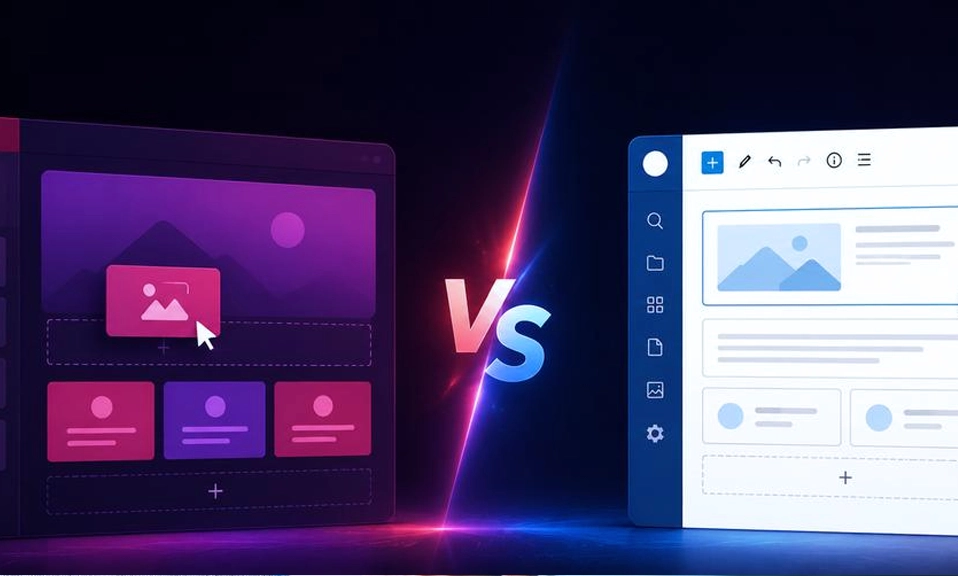
For most new WordPress sites in 2026, Gutenberg is the better starting point. It is built into WordPress, works with the block editor and Site Editor, and avoids adding a separate premium builder layer to the stack.
Elementor is the better choice when visual control, marketing features, dynamic templates or agency workflow matter more than keeping the site as close as possible to WordPress core.
That is the short answer. The longer answer depends on what you are building, who will maintain it and how much design freedom you need.
First, the terminology matters
Gutenberg is the project name associated with WordPress’s block-based editing experience. In everyday use, people usually mean the WordPress Block Editor and, when working on the whole website, the Site Editor.
The Block Editor uses individual blocks for paragraphs, images, headings, galleries, videos and layout elements. WordPress has made it the default editor since WordPress 5.0, and plugins can add more blocks.
The Site Editor goes further. When a block theme is active, users can edit the site’s header, footer, navigation, templates, template parts, styles and page layouts with blocks.
Elementor is a separate WordPress website-builder plugin. It provides a visual drag-and-drop editor with its own widgets, layout controls, templates and design system. Its free plugin offers the core editor and basic widgets, while Elementor Pro adds features such as Theme Builder, dynamic content, forms, popups, WooCommerce tools and custom code.
So the real comparison is not simply “two editors.” It is WordPress’s native content and site-editing system versus a specialised visual builder ecosystem.
1. Ease of use: Elementor feels more visual, Gutenberg feels more native
Elementor is usually easier for a beginner who thinks in terms of a visual canvas. You can open a page, drag widgets into place, adjust spacing and see the result directly. The interface is designed around visual feedback and pixel-level control.
That workflow is especially attractive for landing pages. A designer can move from a blank page to a structured hero section, feature grid or call-to-action layout without first learning WordPress’s template hierarchy.
Gutenberg has become much more capable, but it asks users to understand blocks, groups, columns, patterns, templates and styles. Its interface is less like a traditional design canvas and more like a structured document editor that can also control layout.
That structure is a strength once a team understands it. Content remains organised as blocks rather than being hidden inside one large builder document. WordPress also provides List View, Outline, patterns, a Command Palette and Site Editor tools for navigating complex layouts.
Winner for immediate visual simplicity: Elementor.
Winner for WordPress-native editing and structured content: Gutenberg.
2. Design freedom: Elementor still has the broader visual toolbox
Elementor is built for detailed visual design. Its official feature set includes responsive controls, global design systems, custom breakpoints, masks, gradients, transforms, motion effects, templates and reusable components.
Pro adds Theme Builder, which lets users design headers, footers, single posts, archives and other parts of a site. It also adds custom CSS, dynamic content, popups and marketing-oriented widgets.
Gutenberg’s design tools have expanded substantially. The Site Editor can control global typography, colour palettes, layout, template parts and block styles. Block themes can provide style variations and reusable patterns, while individual blocks can be copied, arranged and edited visually.
The difference is not that Gutenberg cannot make attractive websites. It can. The difference is how far each tool goes when a designer wants unusual positioning, layered effects, bespoke responsive behaviour or a large library of prebuilt marketing sections.
For a conventional business site using a modern block theme, Gutenberg may provide all the design control required. For a highly art-directed site or a campaign-heavy marketing operation, Elementor generally offers a faster route to the desired result.
Winner for maximum visual control: Elementor.
3. Full-site editing: the gap is smaller than it used to be
Elementor has long been associated with building more than individual pages. Its Theme Builder can control the overall visual system, headers, footers, posts and archives.
Gutenberg now supports full-site editing through the Site Editor when a block theme is active. Users can edit templates, navigation, template parts, styles and layouts with blocks.
This means the old argument that Gutenberg is only for writing posts is no longer accurate. WordPress’s native tools can now handle the structure of an entire site.
The remaining difference is workflow. Gutenberg’s capabilities depend heavily on the chosen block theme and the blocks it provides. Elementor supplies a more unified visual layer across its editor, widgets and Pro features.
A block-theme site can be more WordPress-native and portable. An Elementor site can be more visually consistent when a design team works entirely inside Elementor.
Winner for native WordPress full-site editing: Gutenberg.
Winner for a unified visual builder workflow: Elementor.
4. Templates and speed of production: Elementor has the agency advantage
Both tools support reusable design.
Gutenberg uses patterns, synced patterns, template parts, block themes and style systems. A team can create a reusable call-to-action, header section or content layout and use it across a site. The Site Editor also lets users manage templates and patterns centrally.
Elementor offers templates, website kits, reusable sections and components. Elementor Pro’s components and Theme Builder are designed for repeating design systems across pages and projects. The company also positions the product for agencies that need to reuse pages, layouts and templates at scale.
For a solo blogger or small business, Gutenberg patterns may be enough. For an agency producing many similar client sites, Elementor’s visual templates and repeatable workflows may reduce production time, particularly when the team already has an established Elementor library.
This is one of the areas where switching costs matter. An agency that has hundreds of Elementor templates, trained staff and established client workflows may lose more by migrating than it gains from a native block approach.
Winner for established agency production systems: Elementor.
5. Marketing features: Elementor is more complete out of the box
Elementor Pro includes features built around conversion and lead generation. Depending on the plan, users can access forms, popups, dynamic content, custom code, WooCommerce tools and marketing widgets.
That does not mean Gutenberg cannot power a marketing site. WordPress plugins can provide forms, popups, SEO tools, custom fields, analytics integrations and e-commerce features. The difference is that Elementor can bring more of the visual creation workflow into one builder interface.
This matters when a marketer needs to create a landing page, form, popup and thank-you page quickly without coordinating several separate editing interfaces.
The trade-off is architectural. A site that relies on a large builder and multiple add-ons may have more dependencies to update and troubleshoot. A site assembled from WordPress core, a block theme and carefully selected plugins may have fewer builder-specific dependencies, though it may require more deliberate configuration.
Winner for integrated visual marketing workflows: Elementor.
6. Dynamic content and WooCommerce: Elementor Pro is more direct
Dynamic content connects a design to data that changes from post to post. Examples include custom fields, product information, author data, listings and custom post types.
Elementor Pro explicitly includes dynamic content controls and a WooCommerce Builder for custom product pages, shop layouts, archives, carts, checkout and account pages.
Gutenberg can also build dynamic sites. Its Query Loop and theme blocks can display collections of posts, while plugins can add custom fields, custom blocks and WooCommerce editing capabilities. The Site Editor can customise templates for content types when the theme and plugins support the required blocks.
For developers who prefer WordPress’s native template and block architecture, Gutenberg can be a strong foundation. For a nontechnical team that wants to visually assemble a product template or custom listing layout, Elementor Pro may be more approachable.
Winner for direct visual access to dynamic and WooCommerce design: Elementor Pro.
Winner for a native, extensible WordPress architecture: Gutenberg.
7. Performance: there is no automatic winner
Performance comparisons are often reduced to “Gutenberg is fast and Elementor is slow.” That is too simple for a useful 2026 decision.
A site’s speed depends on the theme, number of plugins, images, fonts, animations, third-party scripts, hosting, caching, database queries, page structure and how carefully the builder is configured.
Gutenberg has a natural advantage in stack simplicity because it is part of WordPress rather than an additional page-builder plugin. A restrained block-theme site can avoid loading features it does not use. That makes Gutenberg a sensible default for publishers and performance-sensitive sites.
Elementor has spent years improving its performance systems and says its newer editor and optimisation tools are designed to reduce unnecessary overhead. The company also offers image optimisation and other performance-related products, although those claims are vendor claims rather than a universal independent benchmark.
Elementor itself can produce a fast site when the design is disciplined. A page packed with animations, large images, multiple widgets, external fonts and several add-ons can be slow regardless of which builder created it.
The practical rule is simple: compare measured pages, not reputations. Test representative templates with real images and plugins using Core Web Vitals, server response time and mobile hardware.
Winner for the simplest performance baseline: Gutenberg.
Winner when the team is willing to optimise a visual builder site: either, depending on implementation.
8. SEO and accessibility: both can work, but neither removes responsibility
Neither Gutenberg nor Elementor automatically guarantees strong search rankings. SEO still depends on useful content, site architecture, crawlability, internal linking, metadata, structured data, performance and the quality of the user experience.
Gutenberg’s structured block content fits naturally into WordPress’s content model. Elementor provides responsive controls and lets users build layouts visually, but design freedom can be misused through excessive nesting, decorative motion, poor heading structure or inaccessible colour choices.
Accessibility works the same way. A builder can provide accessible components, but the page author can still create poor contrast, unclear navigation, missing alternative text or confusing heading levels.
Elementor’s plugin documentation describes accessibility tools and responsive features, while WordPress continues to develop accessibility improvements across the editor and Site Editor.
The best choice is the one your team can use responsibly. A technically elegant editor does not compensate for inaccessible content decisions.
Winner: a tie, with implementation quality deciding the result.
9. Cost: Gutenberg wins the licence comparison
Gutenberg is part of WordPress core, so there is no separate Gutenberg Pro licence. A site may still incur costs for hosting, a premium block theme, block extensions, custom development or other plugins.
Elementor has a free plugin, but many of its most useful professional features are in paid plans. At the time of writing, Elementor lists its Essential plan at $60 per year for one site, Advanced Solo at $84 per year for one site, Advanced at $108 per year for three sites and Expert at $204 per year for 25 sites. The exact checkout price, renewal terms and available plans can change.
Elementor’s lower plans do not all include the same features. For example, the Essential plan includes Theme Builder and a form-building interface but excludes some capabilities such as Popup Builder, custom code and e-commerce features. Higher tiers add more widgets, dynamic content, popups, custom code, e-commerce and collaboration features.
Agencies may find the multi-site plans economical if Elementor is central to their workflow. A one-site owner who only needs text, images, galleries and a modern layout may not need a paid builder at all.
Winner for lowest direct builder cost: Gutenberg.
10. Portability and lock-in: Gutenberg has the safer long-term default
Builder choice affects more than the current editing experience. It affects what happens if the builder is disabled, the licence expires or a future developer takes over the site.
Gutenberg content is stored in WordPress’s block-based content system. A site can still depend on a particular theme or block plugin, but the underlying editor is part of WordPress core.
Elementor sites depend more directly on Elementor’s widgets, layout structures and styling system. Elementor says the free and Pro versions work with Gutenberg and that users can choose which editor to use for different content. But choosing to build most of a site in Elementor still creates a practical dependency on that ecosystem.
This is not an argument that Elementor is unsafe or temporary. It is an argument to document the decision. Before building a large site, decide whether future maintainers are comfortable with Elementor and whether the company can continue paying for required features.
For a site expected to live for many years with minimal dependencies, Gutenberg is usually the safer default. For a site whose value comes from a carefully managed design system and fast visual production, Elementor’s dependency may be a reasonable trade.
Winner for the most WordPress-native portability: Gutenberg.
Which one is better for you?
Choose Gutenberg if you are building a blog, documentation site, news site, portfolio or small business website and you want a native WordPress workflow. It is also the stronger choice when performance, lower recurring cost, content portability and fewer builder dependencies are priorities.
Choose Elementor if you need pixel-level visual control, frequent landing pages, visual Theme Builder workflows, advanced marketing widgets, popups, forms, dynamic templates or an agency production system. It is especially useful when nontechnical collaborators need to adjust layouts visually and the team already knows Elementor.
Choose a hybrid approach when it fits the project. Elementor and Gutenberg can coexist. A team might use Gutenberg for ordinary posts and content-heavy pages while reserving Elementor for landing pages or specialised templates. The risk is inconsistency: users may not know which editor to use, and the site may carry more design systems than necessary.
Final verdict
For most new WordPress sites in 2026, Gutenberg is the better default. It is native, increasingly capable, cheaper to start with and better aligned with WordPress’s long-term block and Site Editor direction.
Elementor is the better specialist tool when the project depends on visual precision, reusable marketing templates, dynamic content controls, WooCommerce design or agency-scale production.
The best page builder is not the one with the longest feature list. It is the one that matches the site’s content model, performance budget, maintenance team and expected lifespan.