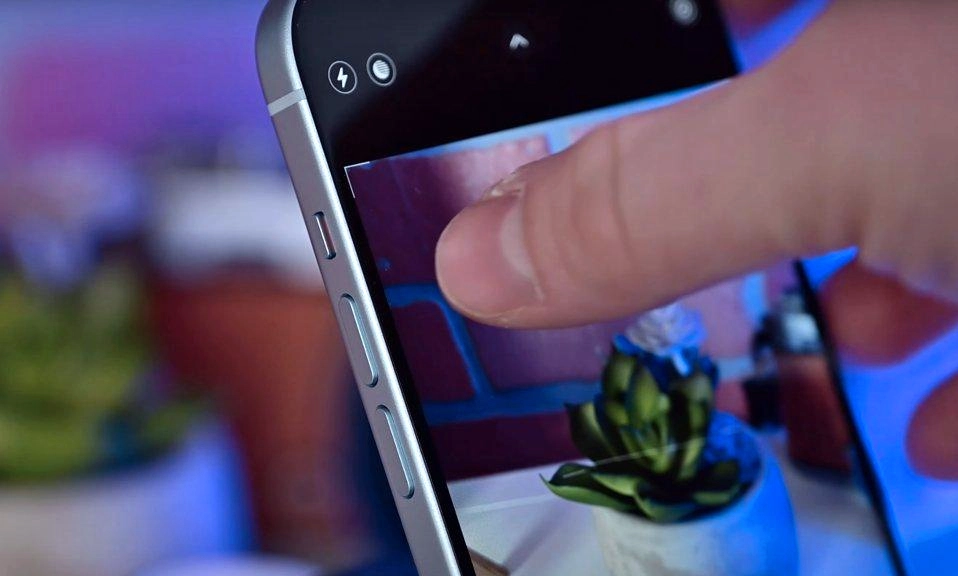
It’s one of the most natural gestures in modern life: you frame a shot, you reach out, and you tap the screen. But that simple tap is silently sabotaging your photos—introducing micro-shake, smudging the lens, and making it harder to capture the perfect moment. There’s a better way, and it’s been hiding on the side of your phone all along.
The trick is simple: use your phone’s volume buttons to take a photo instead of tapping the screen. On almost every Android phone and every iPhone, pressing either the volume up or volume down button triggers the shutter. It’s a feature that’s been built into smartphones for years, yet millions of people never use it.
Here’s why you should switch—and how to make the most of it.
Why the Volume Button Is Better Than the Screen
1. Less Shake, Sharper Photos
Tapping the screen requires you to press your finger against the phone, which introduces a tiny but real amount of movement. That movement is magnified in low light, where the camera needs a slower shutter speed. Using a volume button lets you hold the phone more steadily, especially if you’re using two hands. The result is noticeably sharper images, particularly in dim conditions.
2. No Smudges on the Screen
Every time you tap the screen to focus or shoot, you leave a fingerprint. Over time, those smudges build up and make it harder to see what you’re framing. The volume button keeps your fingers off the display, leaving it cleaner and your view unobstructed.
3. Better for Selfies and Group Shots
When you’re holding the phone at arm’s length for a selfie, reaching for the on-screen shutter button can shift the angle and blur the shot. The volume button is right under your finger, making it easier to capture a steady, well-framed selfie. For group shots on a tripod, the volume button lets you trigger the shutter without touching the screen and shaking the setup.
4. Works with Gloves On
Winter photographers, take note: you can’t use a touchscreen with thick gloves, but you can press a physical volume button. It’s a small thing, but it makes a difference when you’re trying to capture a snowy scene and don’t want to bare your hands.
5. It’s Faster in the Moment
Sometimes the shot is there for a split second. Reaching for the on-screen button requires you to look at the screen and aim your finger. The volume button is a physical target you can find by feel, letting you fire the shutter without taking your eyes off the scene.
How to Use It (and What to Watch For)
On iPhone, pressing either volume button takes a photo when the Camera app is open. You can also use the volume buttons to start and stop video recording—just press either button while recording video to begin, and press again to stop.
On Android, the behavior is similar on most phones from Samsung, Google, OnePlus, and others. However, some manufacturers assign different functions to the volume buttons in the camera app. On certain Samsung phones, for example, pressing the volume down button takes a photo, while the volume up button controls zoom. If yours doesn’t work as expected, check your camera settings for an option called “Volume button function” or “Use volume keys as” and set it to “Shutter” or “Take pictures”.
One caveat: on some Android phones, pressing the volume button while the camera is closed will adjust the ringer volume rather than launching the camera. You’ll need to have the Camera app open first. On iPhones, pressing a volume button from the lock screen will open the Camera app if you’ve enabled that shortcut in Settings.
Tapping the screen to
take a photo feels natural, but it’s not the best way to get a sharp, clean shot. The volume button is faster, steadier, and keeps your screen free of smudges. It works with gloves, it’s easier to find by feel, and it’s already built into the phone you’re holding. Try it for a day—your photos will be sharper, and you’ll wonder why you ever tapped the screen in the first place.