No tracker. No Tile. No AirTag. No $30 tag glued to your passport.
Your Android phone can now just… remember.
Google’s September 2026 Android Drop just launched a feature everyone has wanted since we all lost our keys at age 5: Gemini can remember where you left things.
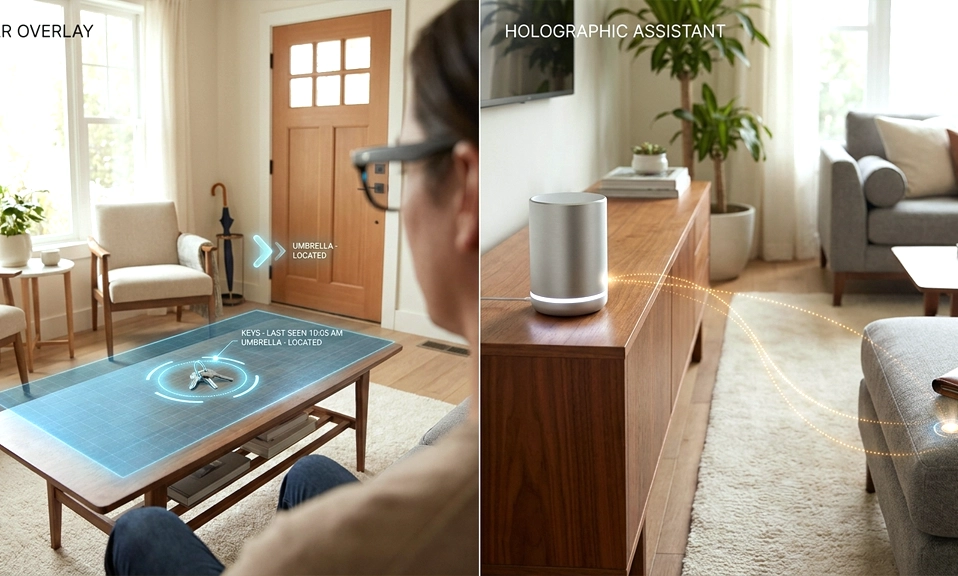
Google has launched its September 2026 Android Drop, bringing five new features to the broader Android ecosystem — and the headliner is a capability that requires no hardware at all. Starting this week, Android 16 users can ask Gemini to remember where they left their passport, spare keys, or gaming controller, and Gemini will save that location to a new Remembered tab inside Find Hub.
It’s stupidly simple, and it’s going to save your morning.
What Is It?
For things you don’t put a tracker tag on, like your passport or a spare key, say something like, “Hey Google, remember in Find Hub that I put my passport in my bedroom drawer,” and add an optional photo.
Previously, Find Hub (formerly Find My Device) could only track things that have a tracker — your phone, buds, watch, or a Bluetooth tag. Now it has a new section:
Find Hub > Remembered Tab
This is a place to write down where you put things that have no business carrying a Bluetooth tracker.
You tell Gemini where you put it. Gemini remembers. Later, you ask where it is.
How to Use It (30 Seconds)
You need: Android 16+ and Gemini + Find Hub enabled. This is rolling out on Android 16+ in countries where Gemini and Find Hub are supported.
Step 1: Save an item
Just talk to Gemini like you’d talk to a roommate.
Say out loud or type to Gemini:
“Hey Google, remember in Find Hub that I put my passport in my bedroom drawer”
“Hey Google, remember in Find Hub that I put my spare house key in the kitchen junk drawer”
“Hey Google, remember that I left my spare key inside the hollowed-out copy of Infinite Jest on my bookshelf.”
You can optionally attach a photo. So you can say: “Remember I put my car keys in the living room drawer” and add a photo of the drawer. Perfect for important event invites, documents, kids’ toys.
The location will be saved to a new “Remembered” tab in the Find Hub app.
Step 2: Find it later
When the key inevitably vanishes from your memory, you can ask Gemini where it is or open the new Remembered tab in Find Hub.
Just say:
“Hey Google, where’s my passport?”
“Hey Gemini, where did I put my spare keys?”
“Where’s my gaming controller?”
Gemini will answer: “You told me you put your passport in your bedroom drawer on September 2nd. Here’s the photo.”
Or open Find Hub app > Remembered. You’ll see a list of everything you’ve saved, with photo, location note, and date.
Why This Is Actually Huge
With the Android feature drop, you’ll be able to ask Gemini to remember where you keep stuff. For example, if you keep an important event invite somewhere and don’t want to forget it, you can ask Gemini to remember that you kept it in a certain spot, and Gemini will add that location and reminder into Find Hub.
We all buy trackers for big things — luggage, wallet. But no one puts a tracker on a passport, a birth certificate, the TV remote, the spare key, the Nintendo Switch cartridge.
Android can remember where you put things, but it can’t track them — if you move the item without telling it, it won’t auto-update. It’s memory, not GPS. That’s why the photo is useful.
But for ADHD brains, busy parents, travelers — it’s a huge stress relief. As one reviewer said: Google Find Hub remembers what I deliberately forget; it’s oddly perfect.
Pro Tips
- Use specific locations: Don’t say “in my room.” Say “in my bedroom, second drawer from top, under the socks.” Gemini saves verbatim.
- Add a photo for hidden spots: Under a fake book, inside a winter coat — snap it.
- Save immediately: The moment you put something somewhere weird (“so I won’t forget”), that’s when you should tell Gemini. Your future self will thank you.
- Clean it out: Remembered tab gets cluttered. Delete after you retrieve.
No hardware. No subscription. Just your voice.
Update to Android 16, open Gemini, and try it: “Remember that I put my in.”[thing][place]
Your keys will still get lost. But now at least someone remembers where.