Your smartphone is a rectangle you look down at. AI smart glasses are a layer you look through. That difference—the shift from “pulling out a device” to “wearing the interface”—isn’t just a change in form factor. It’s a change in what’s possible. And in 2026, the gap between what glasses can do and what a phone can do is finally wide enough to matter.
Here are seven things AI smart glasses can do that your smartphone genuinely can’t—not because the hardware is more powerful (it isn’t), but because the experience is fundamentally different.
1. Execute Multi-Step Tasks Without You Touching Anything
This is the capability that separates 2026’s AI glasses from the camera-equipped audio glasses that came before them. Google and Samsung’s Android XR glasses can run multi-step tasks through third-party apps while your phone stays in your pocket. The keynote demo: you walk past a cafe, say “Hey Google, order my usual coffee,” and Gemini queues a DoorDash order on your phone. You keep walking. The only thing left is a confirmation tap.
Your phone can do this too—but you have to take it out, unlock it, open the app, and tap through the flow. The glasses remove every one of those steps. That’s not a marginal improvement. It’s a different relationship with the task.
2. Translate the World in Your Line of Sight, in Real Time
A phone can translate a menu if you point a camera at it. Glasses can translate the menu while you’re looking at it, with the translation appearing in your field of view or spoken into your ear. Samsung’s glasses recognize speech or foreign-language menus and provide real-time translation via Gemini. Google’s audio glasses translate speech and text in real time. Rokid’s glasses offer translation across 89 languages with live subtitles.
The difference isn’t the translation engine. It’s the friction. On a phone, translation is a task you perform. On glasses, it’s a layer that appears when you need it and disappears when you don’t. That’s the difference between using a tool and wearing one.
3. Answer Questions About What You’re Looking At, Without Breaking Eye Contact
Meta’s Ray-Bans can identify the building you’re walking past. Google’s glasses can answer questions about anything in your line of sight—a parking sign you can’t decode, a restaurant menu you can’t read, a cloud formation you can’t name. Samsung’s glasses use a built-in camera so the AI can understand what you’re looking at.
A phone can do visual search. But visual search on a phone requires you to stop, frame the shot, and look at a screen. Glasses let you ask about the world while you’re still in it. That’s a small shift in behaviour with a large shift in how it feels.
4. Capture First-Person Video Without Holding Anything
Ray-Ban Meta Gen 2 glasses shoot 3K video from a 12MP camera, and the pitch is simple: point-of-view capture without a gimbal, a selfie stick, or a phone in your hand. Rokid’s glasses shoot 1680P video and take hands-free photos.
A phone can shoot video. But a phone can’t shoot video from your eyes, while your hands are doing something else. For travellers, parents, athletes, and creators, that’s not a convenience feature. It’s a new category of capture.
5. Navigate Without Looking Down
Turn-by-turn directions on a phone require you to look at a screen. Glasses can show walking directions on a full-color waveguide display (Meta Ray-Ban Display) or deliver them through audio and voice guidance (Google/Samsung audio glasses). The result is that you can navigate a city without ever breaking your stride or your awareness of what’s around you.
That matters more than it sounds. Looking down at a phone while walking is a genuine safety issue—and a genuine immersion-killer. Glasses keep your eyes up.
6. Hear Your Notifications, Summarized, Without Reaching for a Screen
Glasses can summarize incoming messages, read them aloud, and filter what matters from what doesn’t. The experience is audio-first: your phone buzzes in your pocket, but you don’t need to check it. The glasses tell you what’s important. You decide whether to respond.
A phone can do notification summaries. But a phone requires you to look at it. Glasses let you stay present. For anyone who has felt the pull of a buzzing phone in the middle of a conversation, that’s a meaningful difference.
7. Be a Wearable Interface That Offloads the Heavy Lifting
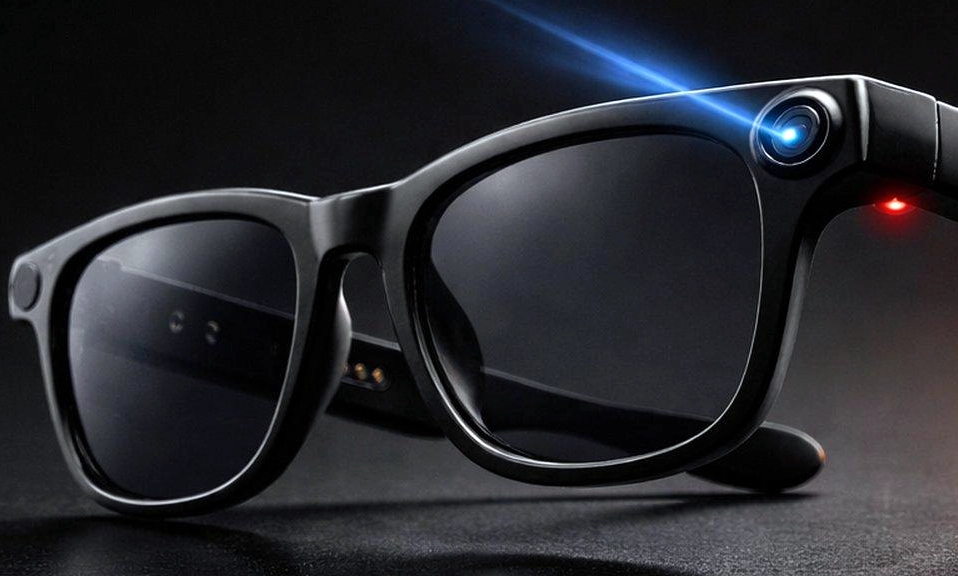
Here’s the part that’s easy to miss: the glasses themselves are not trying to be the computer. Samsung’s approach is explicitly split-computing—the glasses handle lighter tasks, while a connected Galaxy phone processes AI-intensive workloads like translation, navigation, and image processing. Google’s glasses are tethered to a smartphone, relying on its processing power over Bluetooth and Wi-Fi.
That’s not a limitation. It’s the design. The glasses are a front-end: a camera, a microphone, a speaker, and sometimes a display, worn on your face. The phone is the back-end: the processor, the battery, the internet connection, the cloud AI. Together, they do something neither can do alone: continuous, context-aware assistance without the weight, heat, and battery drain of a computer on your face.
A phone can’t be worn. Glasses can’t replace a phone. But the combination of the two is a new kind of computing—one where the interface is always with you, and the power is always somewhere else.
The Catch: What Glasses Still Can’t Do
This list isn’t a claim that glasses are replacing phones. They’re not. The display quality on most models is limited—Meta’s waveguide display is 600×600 resolution with a narrow field of view. Battery life is measured in hours, not days. And the privacy questions are unresolved: glasses with cameras and microphones raise concerns that phones, which you can put away, do not.
But the seven capabilities above are real, and they’re shipping. The question isn’t whether glasses can do everything a phone can. It’s whether they can do enough things better to earn a place on your face.
In 2026, for the first time, the answer is yes.